

前言
大家新年好!今天是年三十,在这个充满喜悦和欢乐的节日里,祝大家新年快乐。不论你在外面过的风生水起还是不尽人意,回到家一家人团团聚聚才是最好的。进入正题,我们作为IT民工,我们要用自己的方式表达对别人的祝福!

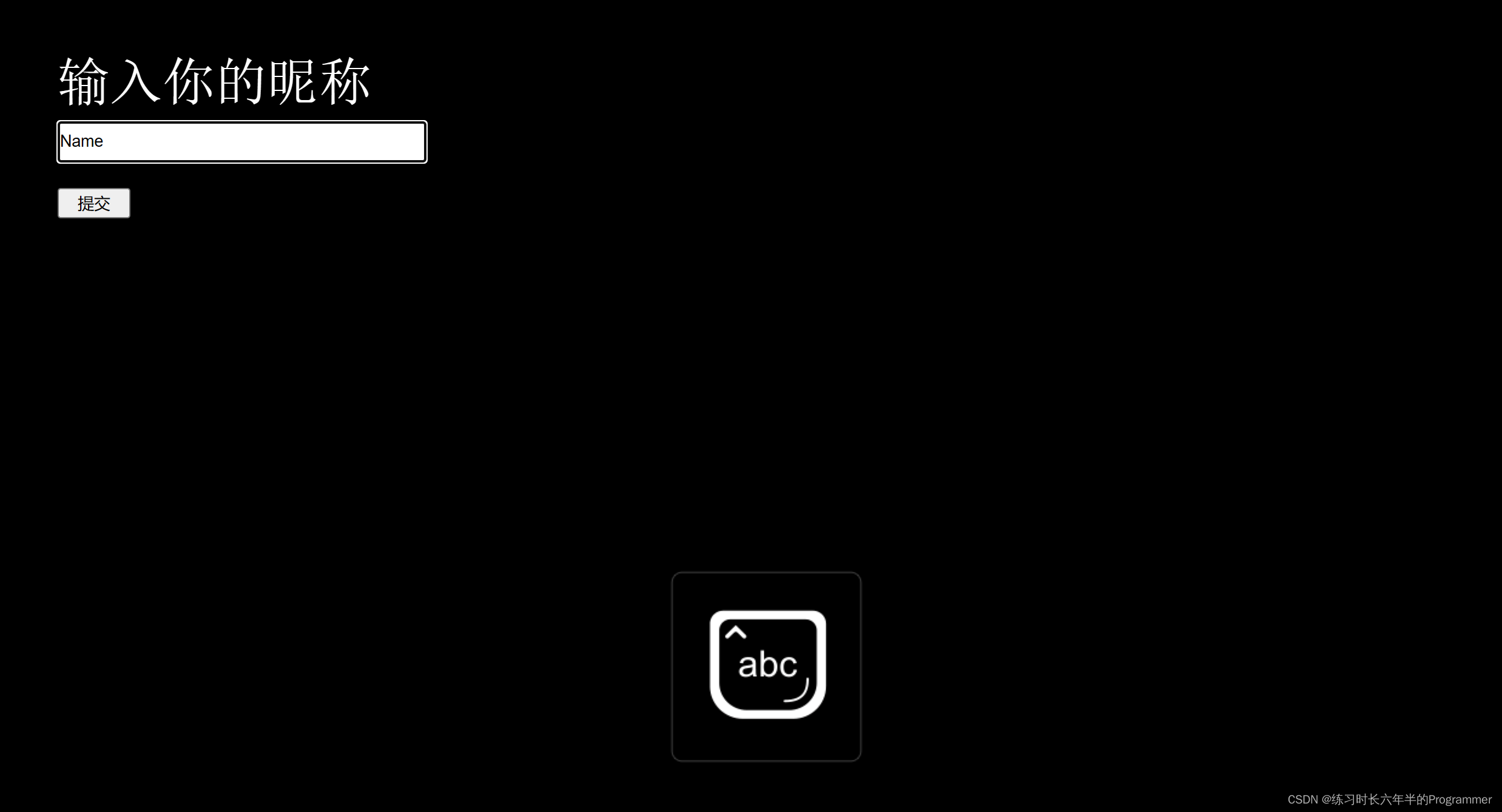

这是一个前端的祝福网页,网址是 新年快乐 (imimbert.github.io) ,完整代码一共两个文件,大家可以研究前端代码或者部署到 Github 给别人看。
使用方法
由于这次教程面向所有人,包括无任何编程基础的人群,所以非常详细。
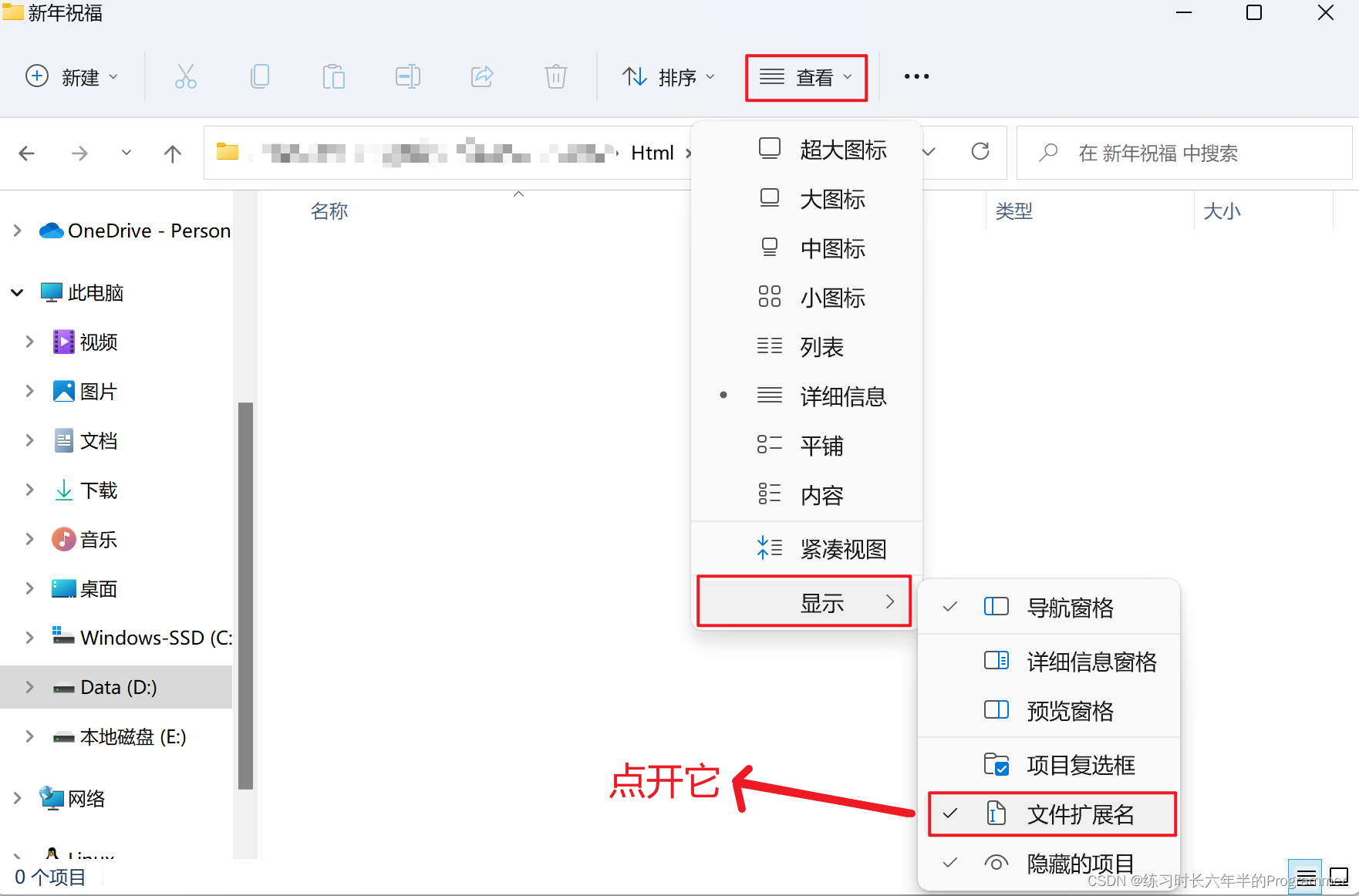
首先在你存代码的目录下打开文件拓展名
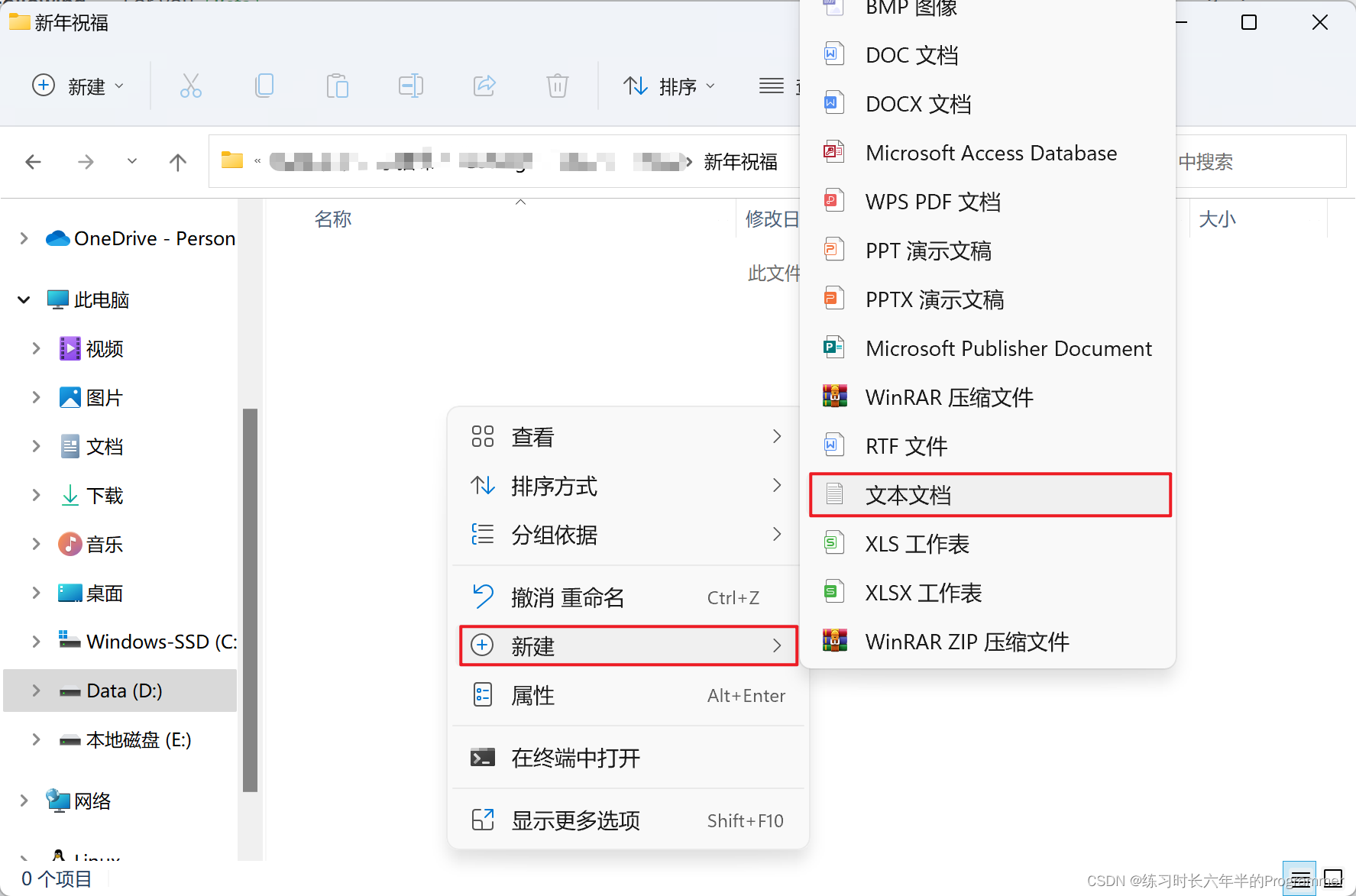
新建文本文档
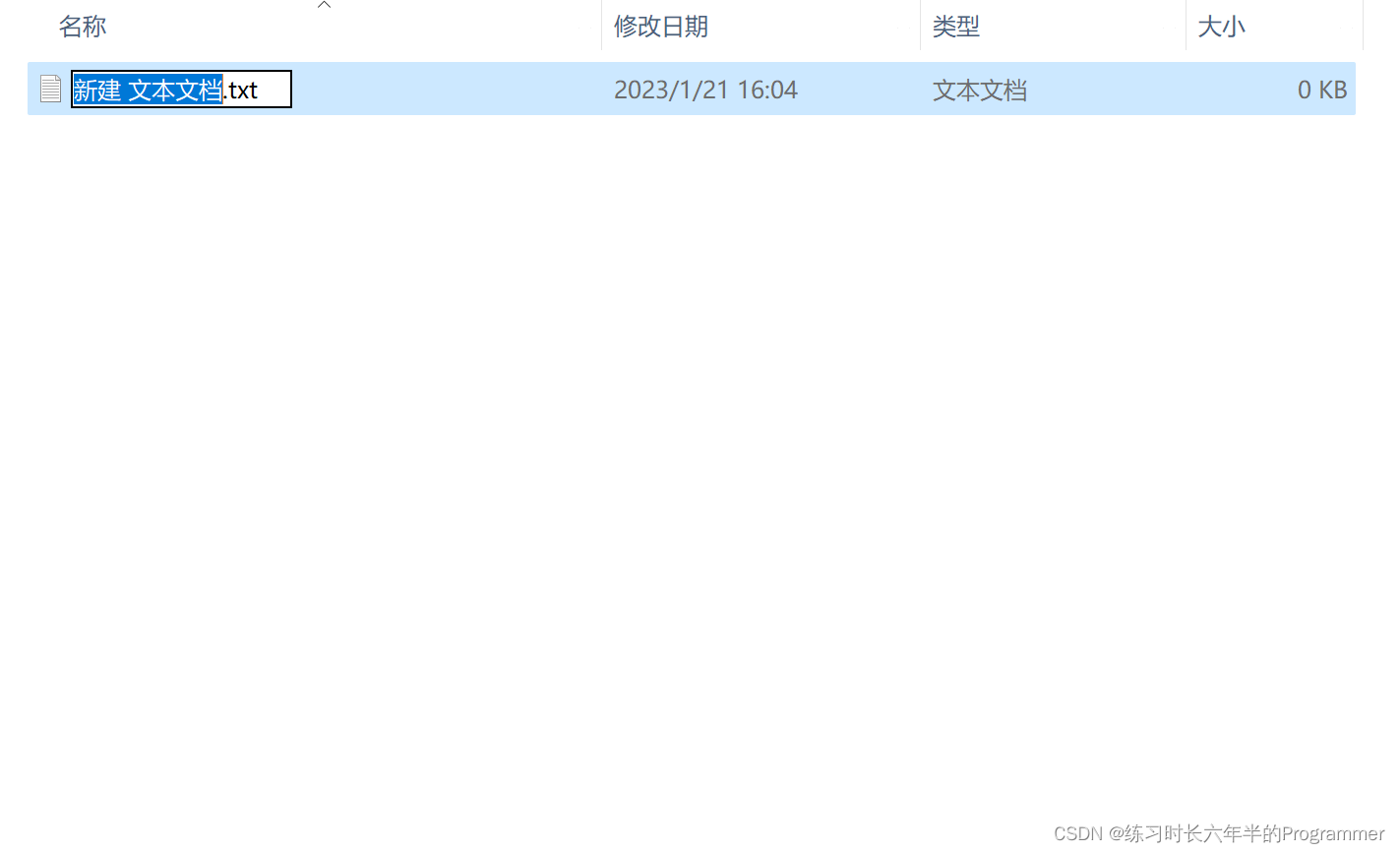
重命名为 index.txt。
再用同样的方法创建 index1.txt
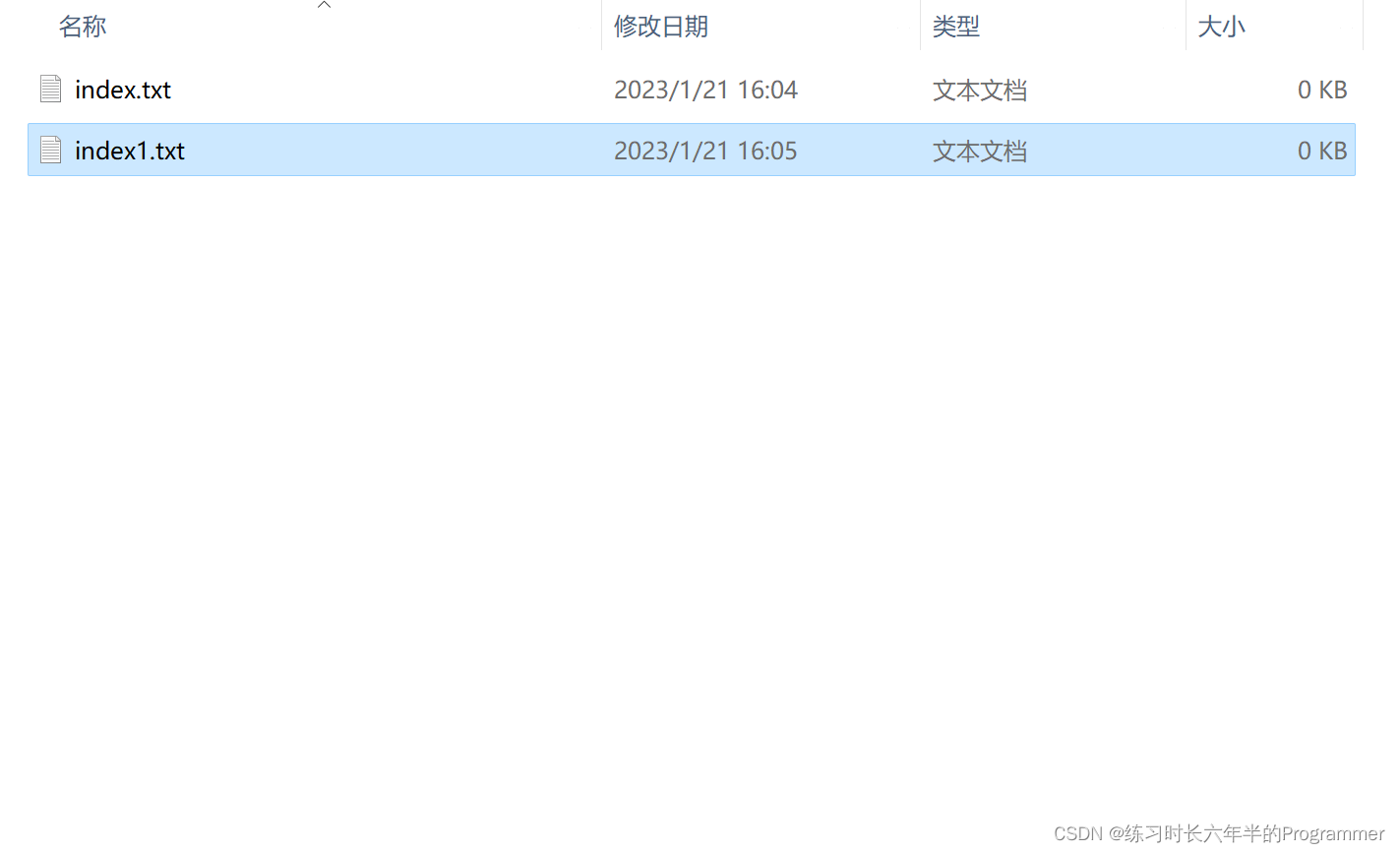
然后把以下内容复制进 index.txt。
<!doctype html>
<html>
<head>
<meta charset="utf-8">
<title>新年快乐</title><!-- 这是网页标题 -->
<style>
@import url('https://fonts.googleapis.com/css?family=Poppins:100,200,300,400,500,600,700,800,900');

@font-face {
    font-family: mono;
    src: url(../fonts/JetBrainsMono-Medium.ttf);
}

* {
    padding: 0;
    margin: 0;
}

::placeholder {
    color: #009bff66;
}

a {
    text-decoration: none;
}

body .container {
    background-color: #1e1e22;
    box-sizing: border-box;
    height: 500vw;
    padding: 0 2vw;
}

body .container .main {
    margin: 0 auto;
    width: 80vw;
}

body .container .main .header {
    height: 60px;
    position: relative;
}

body .container .main .header .nav {
    height: 60px;
    display: inline-block;
}

body .container .main .header .nav li {
    float: left;
    height: 60px;
    line-height: 60px;
    margin: 0 1vw;
    font-family: 'Poppins', serif;
    font-size: 1vw;
    list-style: none;
}

body .container .main .header .nav li a {
    border-bottom: 1px solid #009bff;
    color: #ddd;
    transition: all 0.5s;
}

body .container .main .header .nav li a:hover {
    color: #009bff;
}

body .container .main .header .nav li p {
    color: #009bff;
}

body .container .main .header .btn-login {
    position: absolute;
    right: 0;
    top: 0;
    height: 60px;
    display: flex;
    flex-direction: row-reverse;
    align-items: center;
}

body .container .main .header .btn-login .nav-1 {
    padding: 0 20px;
    display: flex;
    flex-direction: row;
    height: 40px;
    line-height: 40px;
    color: #000;
    background-color: #009bff;
    border-radius: 20px;
    text-align: center;
    transition: all 0.3s;
}

body .container .main .header .btn-login .nav-1:hover {
    color: #ddd;
}

body .container .main .header .btn-login .nav-1 ion-icon {
    height: 40px;
    padding-right: 10px;
}

body .container .main .header .btn-login .nav-2 {
    padding: 0 20px;
    display: flex;
    flex-direction: row;
    height: 40px;
    line-height: 40px;
    color: #ddd;
    text-align: center;
    transition: all 0.3s;
}

body .container .main .header .btn-login .nav-2:hover {
    color: #009bff;
}

body .container .main .header .btn-login .nav-2 ion-icon {
    height: 40px;
    padding-right: 10px;
}

body .container .main section .title-bar {
    height: 10vw;
}

body .container .main section .title-bar .title {
    border-right: 2px solid #000;
    margin-top: 4vw;
    display: inline-block;
    font-size: 6vw;
    font-family: 'mono', serif;
    color: rgb(255, 255, 255);
    overflow: hidden;
    white-space: nowrap;
    animation: borders 1s infinite normal,
    widths 4s steps(16);
}

@keyframes borders {
    from {
        border-right-color: #000;
    }

    to {
        border-right-color: #ddd;
    }
}

@keyframes widths {
    from {
        width: 0;
    }

    to {
        width: 16ch;
    }
}

.about {
    margin-top: 3vw;
}

.about p {
    font-size: 1.5vw;
    font-family: 'Poppins', serif;
    color: #fff;
}

.func-1 {
    margin-top: 5vw;
    display: flex;
    flex-direction: row;
}

.func-1 .func-1-left {
    width: 55vw;
    margin-right: 5vw;
    border: 2px solid #ffffff;
    border-radius: 25px;
}

.func-1 .func-1-left #foo-bar {
    padding: 1vw;
}

.func-1 .func-1-left p {
    font-family: "Poppins", serif;
    font-size: 1.5vw;
    color: #fff;
    padding-left: 2vw;
}

#daily-words {
    padding-left: 3vw;
}

.shop {
    display: flex;
    flex-direction: column;
    margin: 2vw 0;
}

.shop a{
    color: #009bff;
    transition: all .5s;
}

.shop a:hover{
    color: white;
}

.shop p {
    font-family: "Poppins", serif;
    font-size: 1.5vw;
    color: #fff;
    padding-left: 1vw;
    border-left: 2px solid #009bff;
}

.shop h2 {
    color: white;
    margin-top: .5vw;
    font-weight: 300;
    font-family: "Poppins", serif;
    font-size: 1.5vw;
}

.shop h1{
    font-family: 'Poppins', serif;
    font-size: 3vw;
    font-weight: 400;
    color: #fff;
    transition: all 1s;
}

.shop h1:hover {
    color: #009bff;
}
</style>

</head>
<body>
    <style>
        body .container {
            background-color: black;
            box-sizing: border-box;
            height: 500vw;
            padding: 0 2vw;
        }
    </style>
    <div class="container">
        <div class="main">
            <ul class="header">
                <ul class="nav">
                    <li>
                        <a href="#">Back to top</a>
                    </li>
                </ul>
            </ul>
            <div class="shop" id="talk">
                <h1 style="color:white;">输入你的昵称</h1>
                <input type="text" style="width: 300px;height:30px;" id="a-name"><br>
                <button style="width: 60px;height:25px;" onclick="get()">提交</button>
            </div>
            <script>
                function get(){
                    var butt = document.getElementById("a-name").value;
                    // alert(butt);
                    window.location = "./index1.html?name="+butt;
                    window.sessionStorage.setItem('name', butt);
                }
            </script>
        </div>
    </div>
  </body>
</html>
再把以下内容复制进 index1.html
<!doctype html>
<html>
<head>
<meta charset="utf-8">
<title>新年快乐</title><!-- 这是网页标题 -->
<style>
body{
  overflow: hidden;
  margin: 0;
}
h1{
  position: fixed;
  top: 30%;
  left: 0;
  width: 100%;
  text-align: center;
  transform:translateY(-50%);
  font-family: 'Love Ya Like A Sister', cursive;
  font-size: 60px;
  color: #c70012;
  padding: 0 20px;
}
h1 span{
  position: fixed;
  left: 0;
  width: 100%;
  text-align: center;
margin-top:30px;
    font-size:40px;
}
</style>

</head>
<body>
<h1 id="h1"></h1>
<canvas></canvas> <!--canvas 画布-->

<script>
var canvas = document.querySelector("canvas"),
    ctx = canvas.getContext("2d");

var ww,wh;

function onResize(){
    ww = canvas.width = window.innerWidth;
    wh = canvas.height = window.innerHeight;
}

ctx.strokeStyle = "red";
ctx.shadowBlur = 25;
ctx.shadowColor = "hsla(0, 100%, 60%,0.5)";

var precision = 100;
var hearts = [];
var mouseMoved = false;
function onMove(e){
    mouseMoved = true;
    if(e.type === "touchmove"){
        hearts.push(new Heart(e.touches[0].clientX, e.touches[0].clientY));
        hearts.push(new Heart(e.touches[0].clientX, e.touches[0].clientY));
    }
  else{
        hearts.push(new Heart(e.clientX, e.clientY));
        hearts.push(new Heart(e.clientX, e.clientY));
    }
}

var Heart = function(x,y){
    this.x = x || Math.random()*ww;
    this.y = y || Math.random()*wh;
    this.size = Math.random()*2 + 1;
    this.shadowBlur = Math.random() * 10;
    this.speedX = (Math.random()+0.2-0.6) * 8;
    this.speedY = (Math.random()+0.2-0.6) * 8;
    this.speedSize = Math.random()*0.05 + 0.01;
    this.opacity = 1;
    this.vertices = [];
    for (var i = 0; i < precision; i++) {
        var step = (i / precision - 0.5) * (Math.PI * 2);
        var vector = {
            x : (15 * Math.pow(Math.sin(step), 3)),
            y : -(13 * Math.cos(step) - 5 * Math.cos(2 * step) - 2 * Math.cos(3 * step) - Math.cos(4 * step))
        }
        this.vertices.push(vector);
    }
}

Heart.prototype.draw = function(){
    this.size -= this.speedSize;
    this.x += this.speedX;
    this.y += this.speedY;
    ctx.save();
    ctx.translate(-1000,this.y);
    ctx.scale(this.size, this.size);
    ctx.beginPath();
    for (var i = 0; i < precision; i++) {
        var vector = this.vertices[i];
        ctx.lineTo(vector.x, vector.y);
    }
    ctx.globalAlpha = this.size;
    ctx.shadowBlur = Math.round((3 - this.size) * 10);
    ctx.shadowColor = "hsla(0, 100%, 60%,0.5)";
    ctx.shadowOffsetX = this.x + 1000;
    ctx.globalCompositeOperation = "screen"
    ctx.closePath();
    ctx.fill()
    ctx.restore();
};


function render(a){
    requestAnimationFrame(render);

    hearts.push(new Heart())
    ctx.clearRect(0,0,ww,wh);
    for (var i = 0; i < hearts.length; i++) {
        hearts[i].draw();
        if(hearts[i].size <= 0){
            hearts.splice(i,1);
            i--;
        }
    }
}


onResize();
window.addEventListener("mousemove", onMove);
window.addEventListener("touchmove", onMove);
window.addEventListener("resize", onResize);
requestAnimationFrame(render);

window.onload=function starttime(){
    time(h1,'2023/1/21');     // 2023年春节时间
    ptimer = setTimeout(starttime,1000); // 添加计时器
}

    function time(obj,futimg){
        var nowtime = new Date().getTime(); // 现在时间转换为时间戳
        var futruetime =  new Date(futimg).getTime(); // 未来时间转换为时间戳
        var msec = futruetime-nowtime; // 毫秒 未来时间-现在时间
        var time = (msec/1000);  // 毫秒/1000
        var day = parseInt(time/86400); // 天  24*60*60*1000
        var hour = parseInt(time/3600)-24*day;    // 小时 60*60 总小时数-过去的小时数=现在的小时数
        var minute = parseInt(time%3600/60); // 分 -(day*24) 以60秒为一整份 取余 剩下秒数 秒数/60 就是分钟数
        var second = parseInt(time%60);  // 以60秒为一整份 取余 剩下秒数
        obj.innerHTML="<br>距离春节还有:<br>"+day+"天"+hour+"小时"+minute+"分"+second+"秒"+"<br><span>愿我所想的事顺心如意。<br>and may the things I think of be all right.<br>祝"+window.sessionStorage.getItem('name')+"新年快乐!"+"</span>"
        return true;
    }
</script>
  <!-- <audio id="bgmusic" src="http://music.163.com/song/media/outer/url?id=1851244378.mp3" autoplay="autoplay" loop="loop" style="display: block; width: 3%; height:3%;"></audio> -->
    <script type="text/javascript">
        // alert(butt);
        document.addEventListener('DOMContentLoaded', function () {
            function audioAutoPlay() {
                var audio = document.getElementById('bgmusic');
                audio.play();
                document.addEventListener("WeixinJSBridgeReady", function () {
                    audio.play();
                }, false);
            }
            audioAutoPlay();
        });
</script>
</body>
</html>
重命名两个文件的后缀为 .html
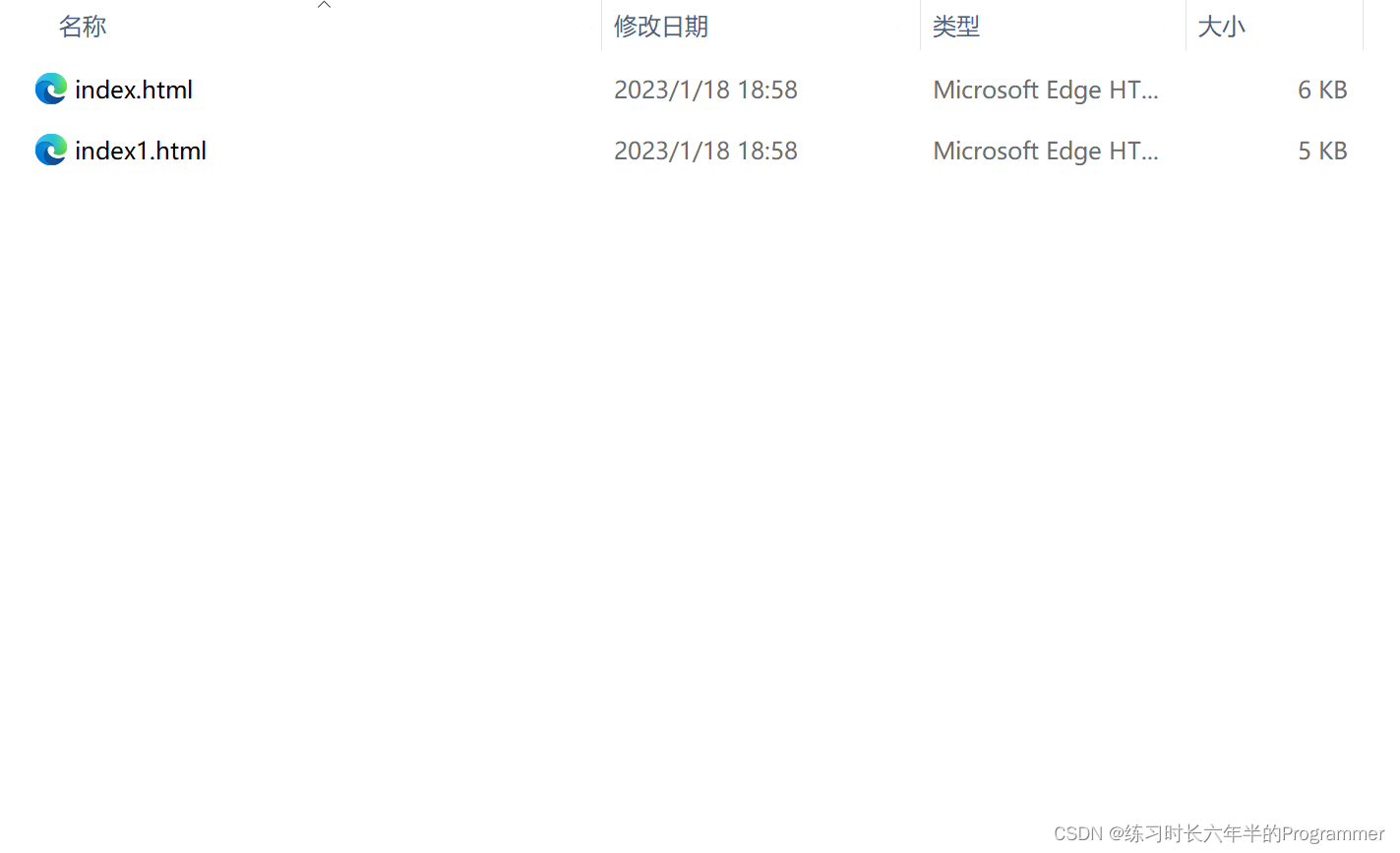
然后双击 index.html,即可看到效果。
部署 Github
如果你想把你的网页分享给别人看,那你就要部署到 github(免费)
首先创建一个 github 账号,网址:github.com
注册好后创建一个仓库
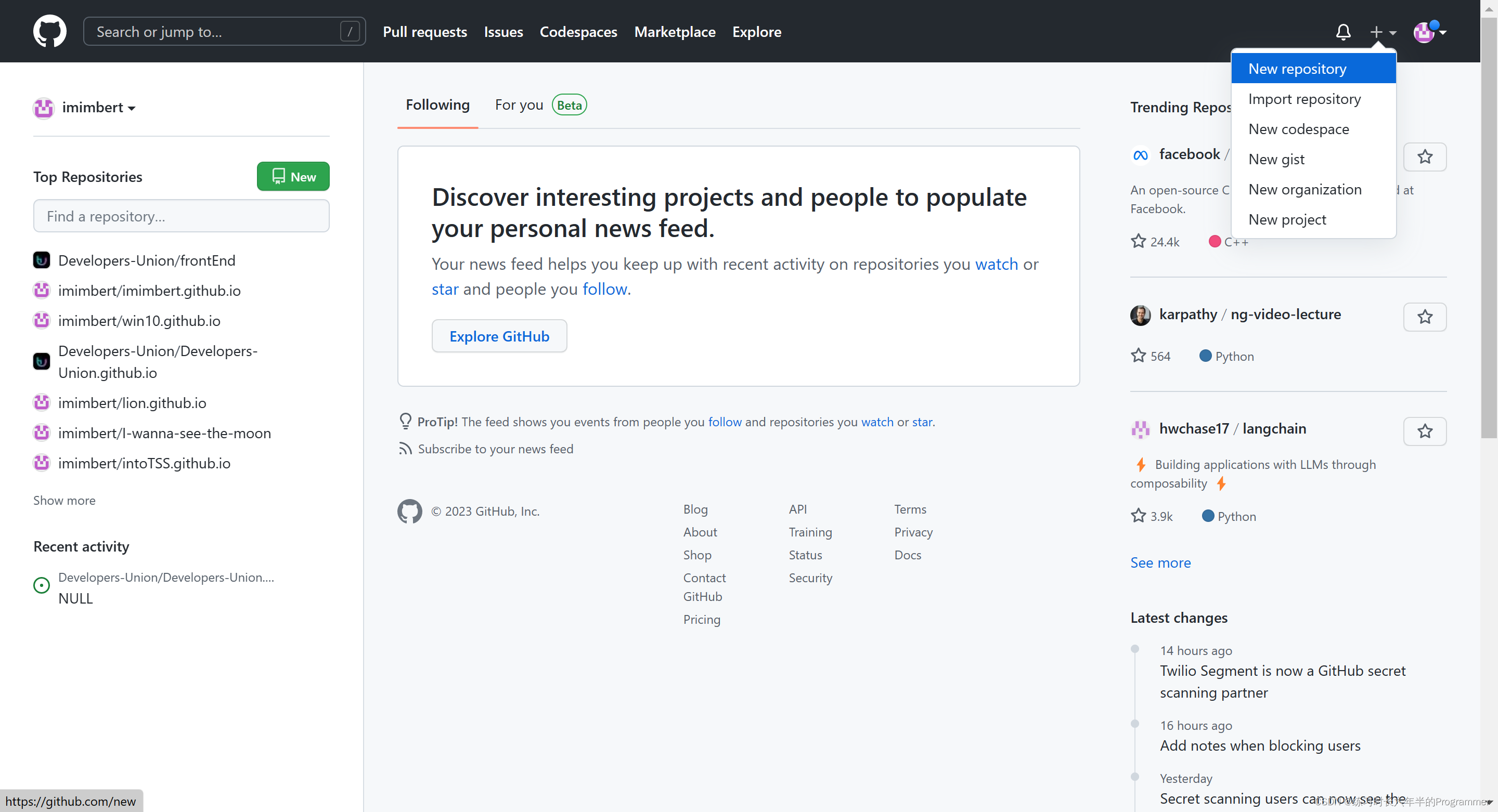
命名为 xxx.github.io,例如 NewYear.github.io
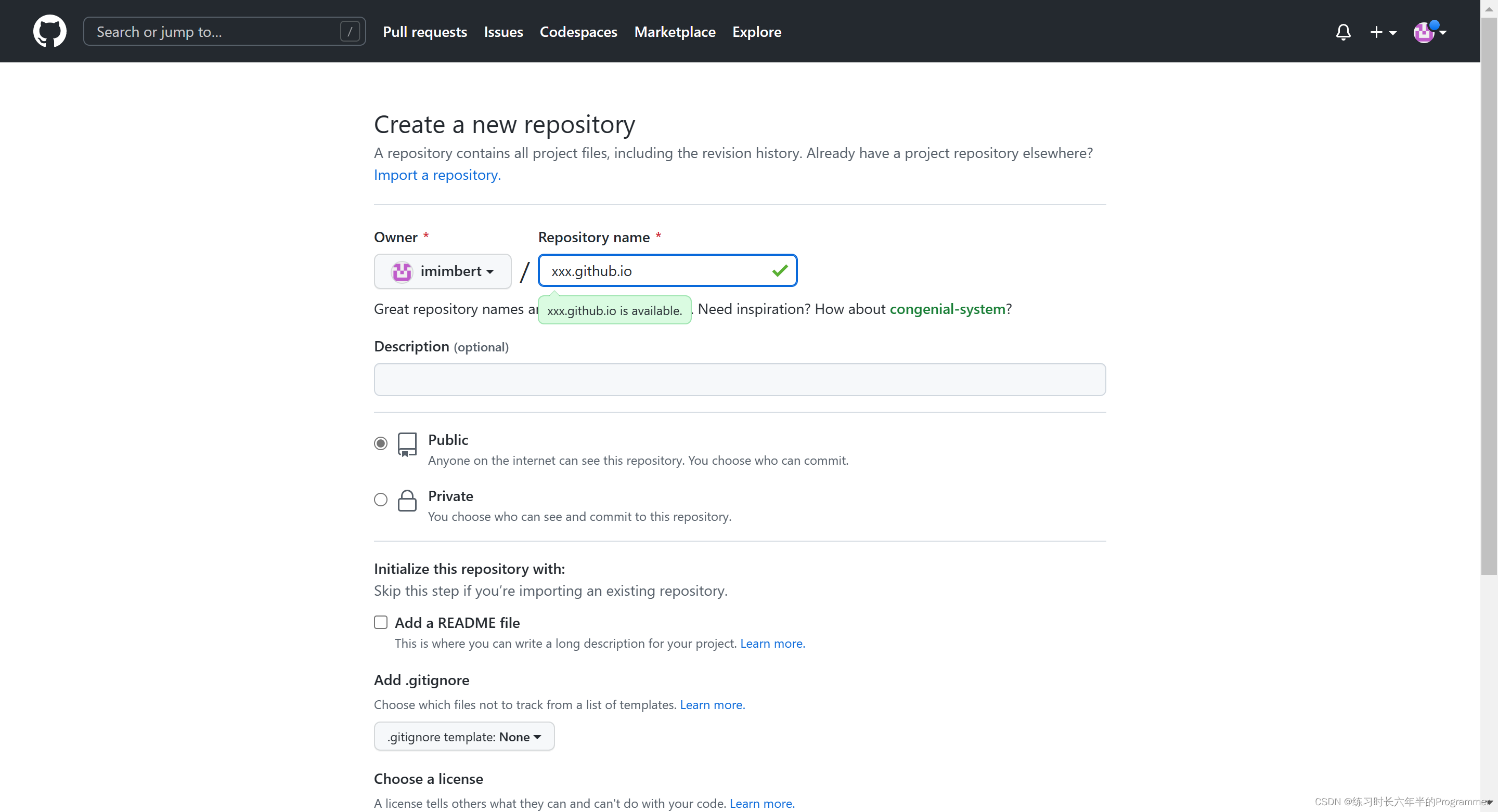
然后进入这个页面
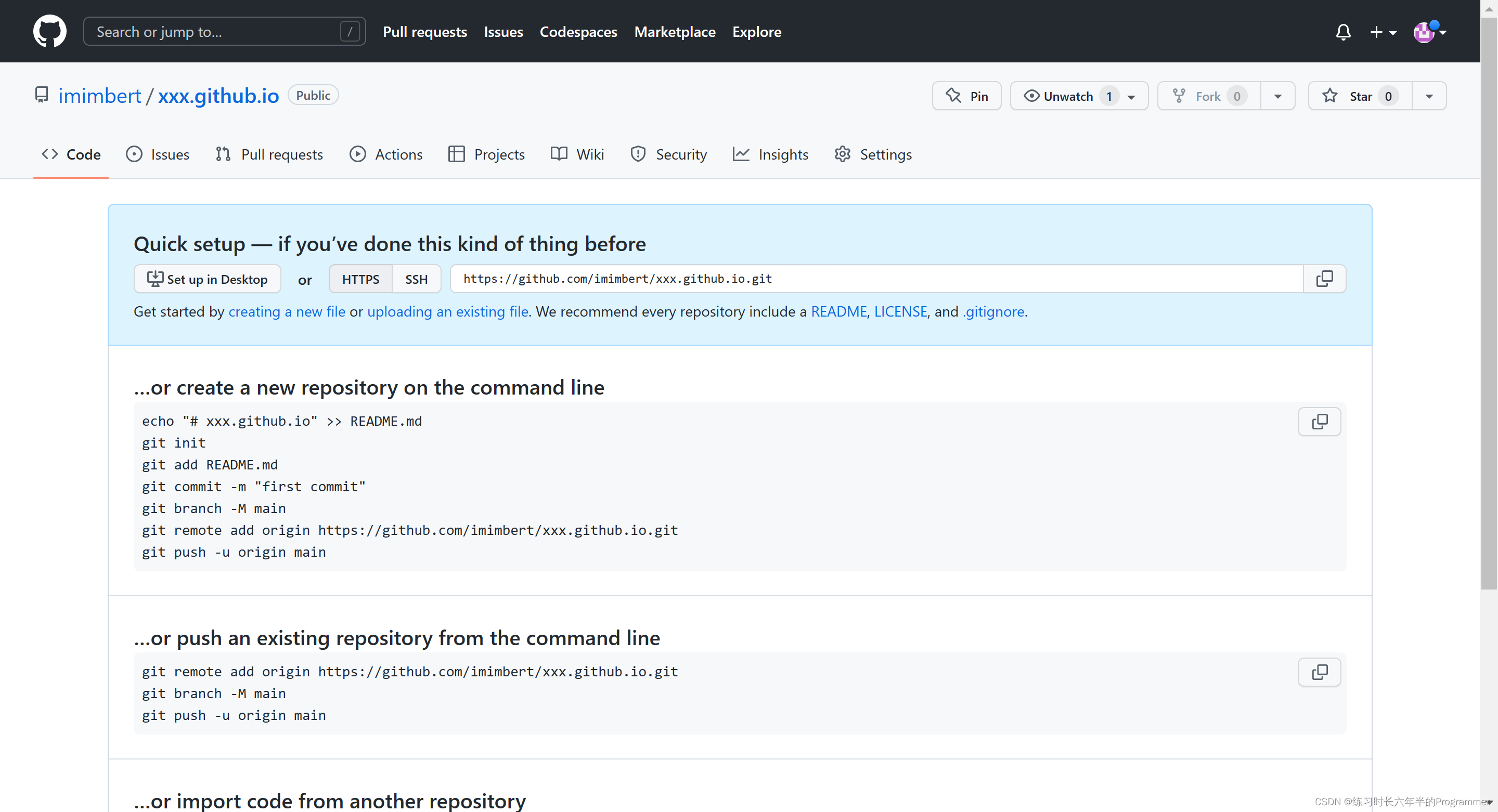
点这里
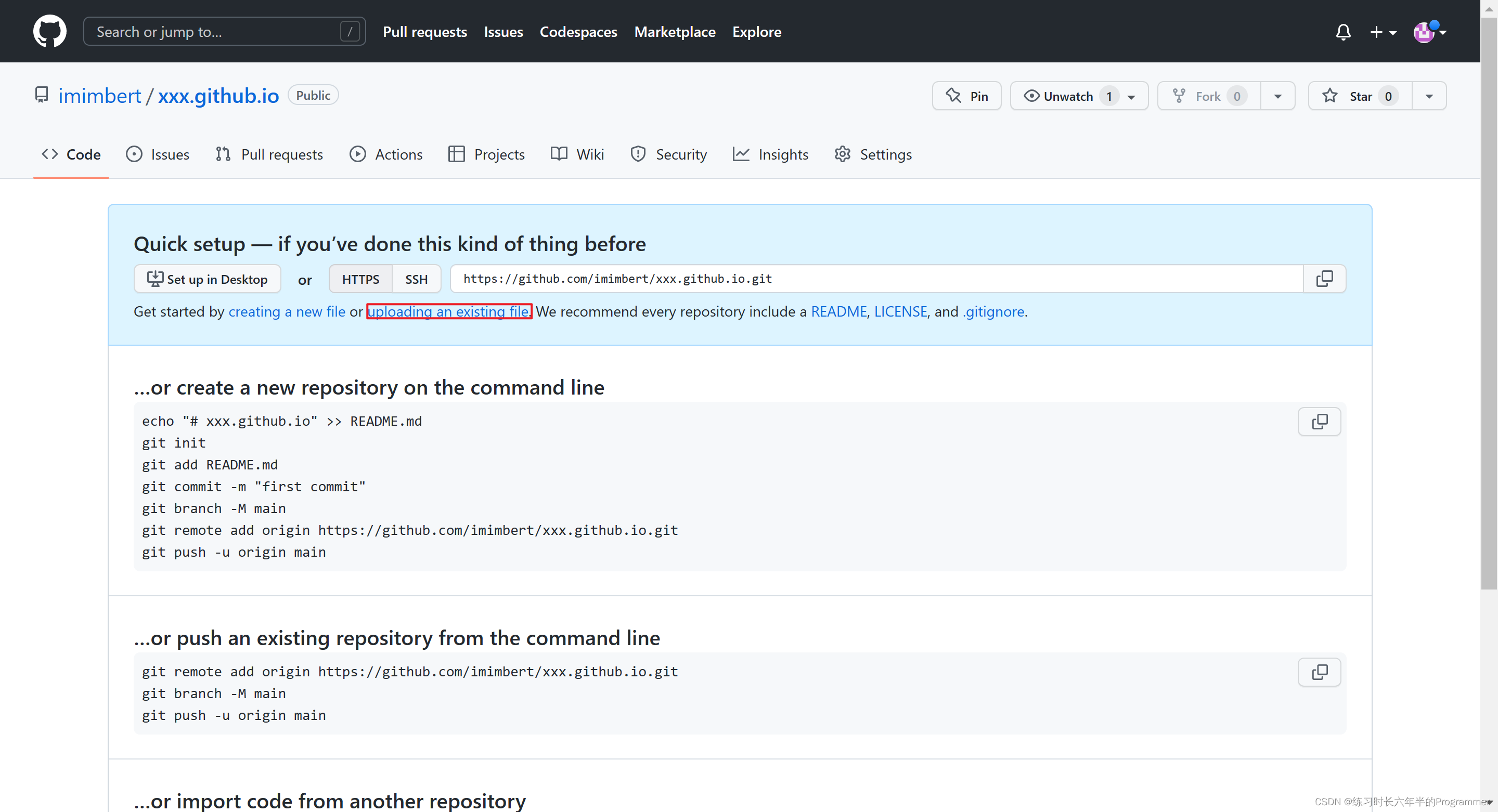
进入这个页面
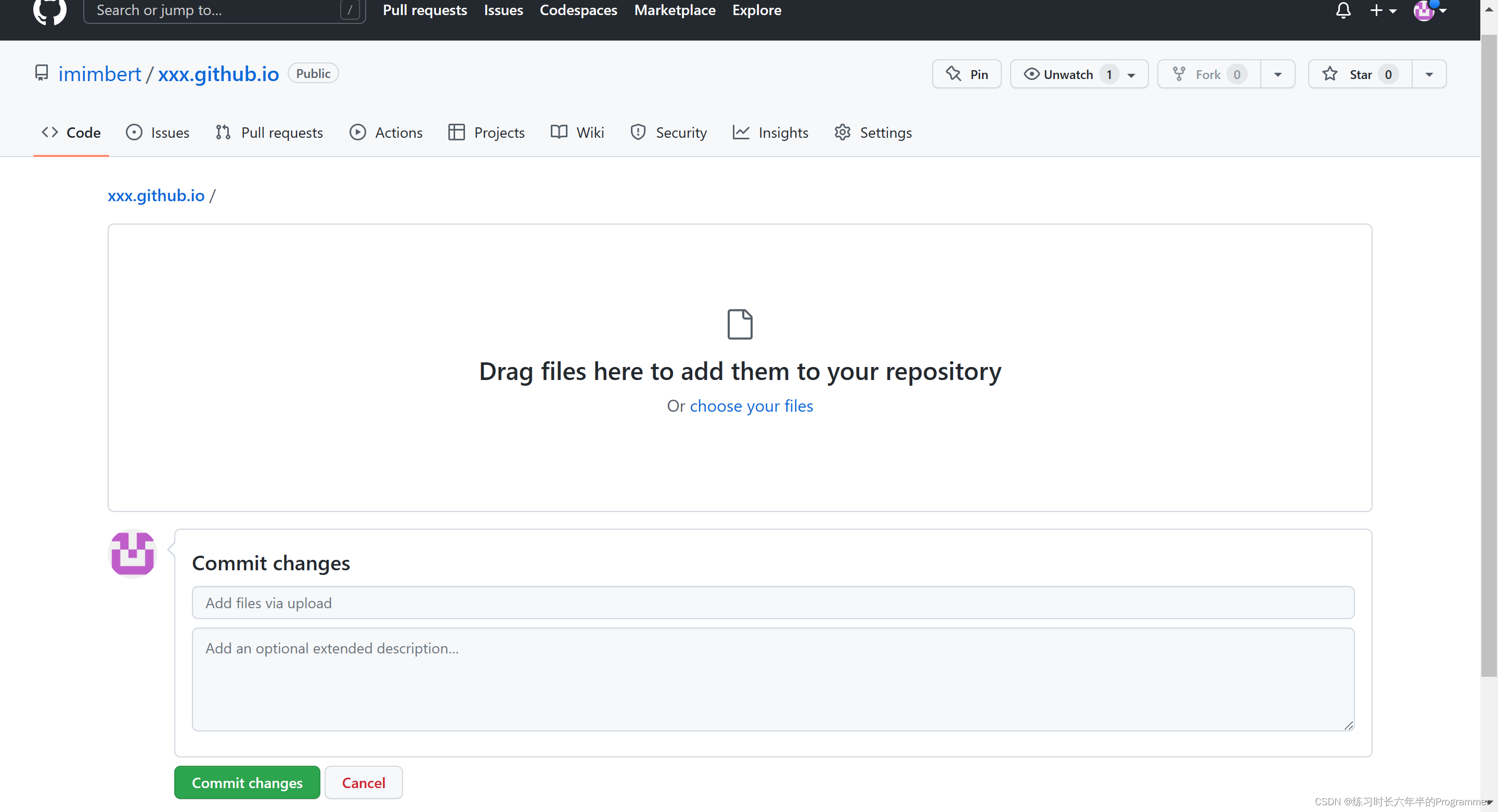
把你刚才那两个文件拖到中间
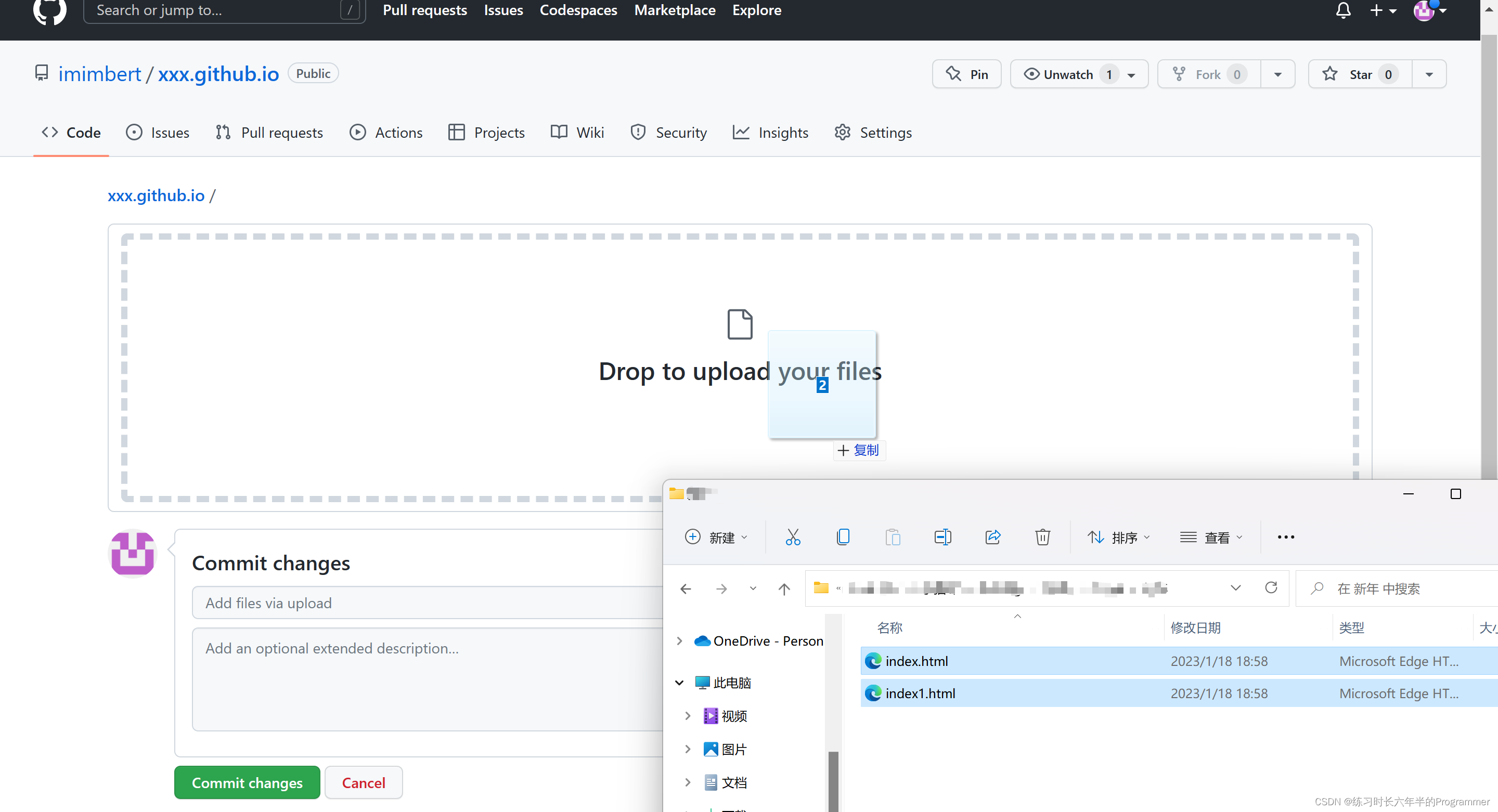
点这
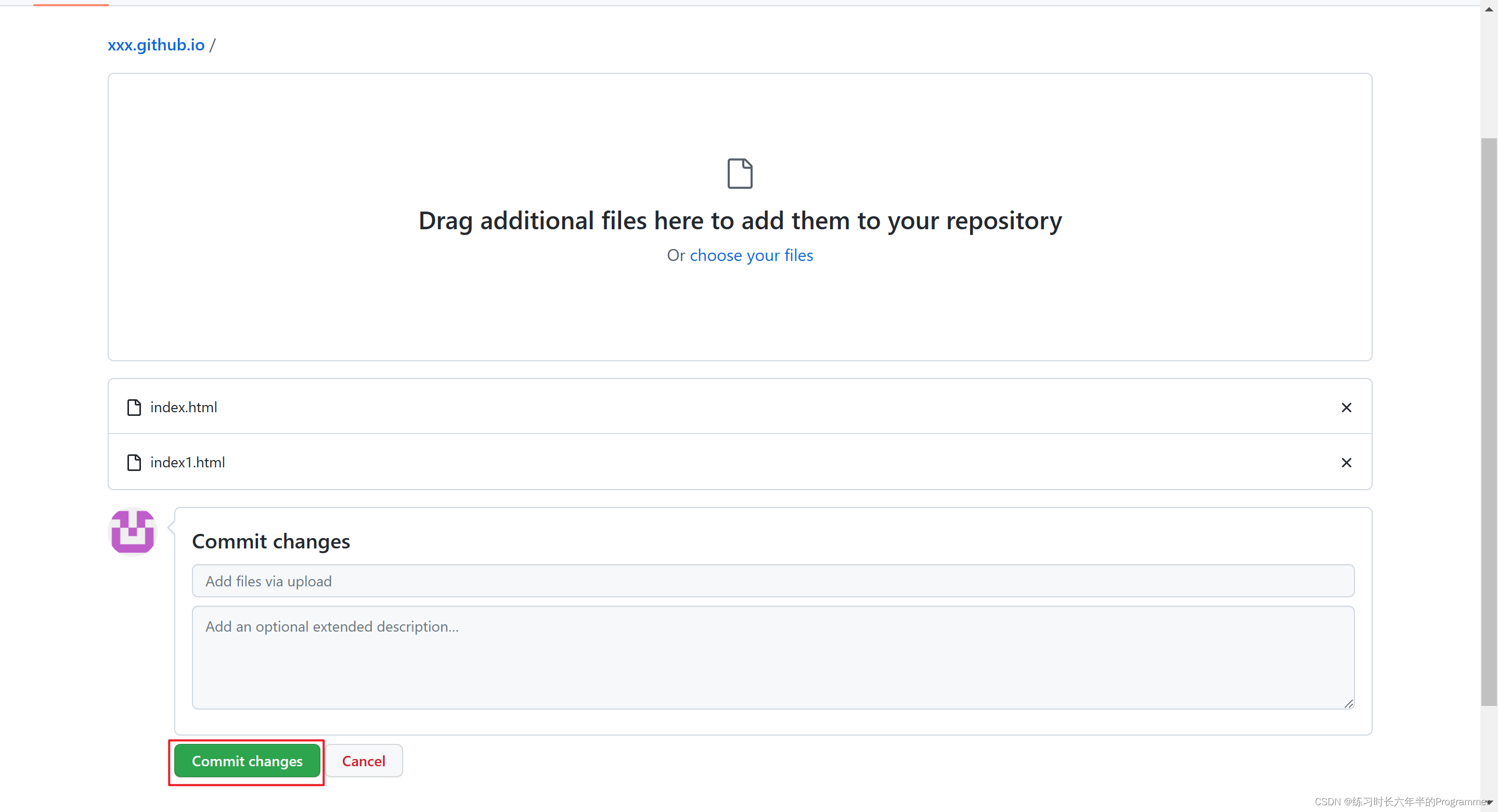
到这个页面
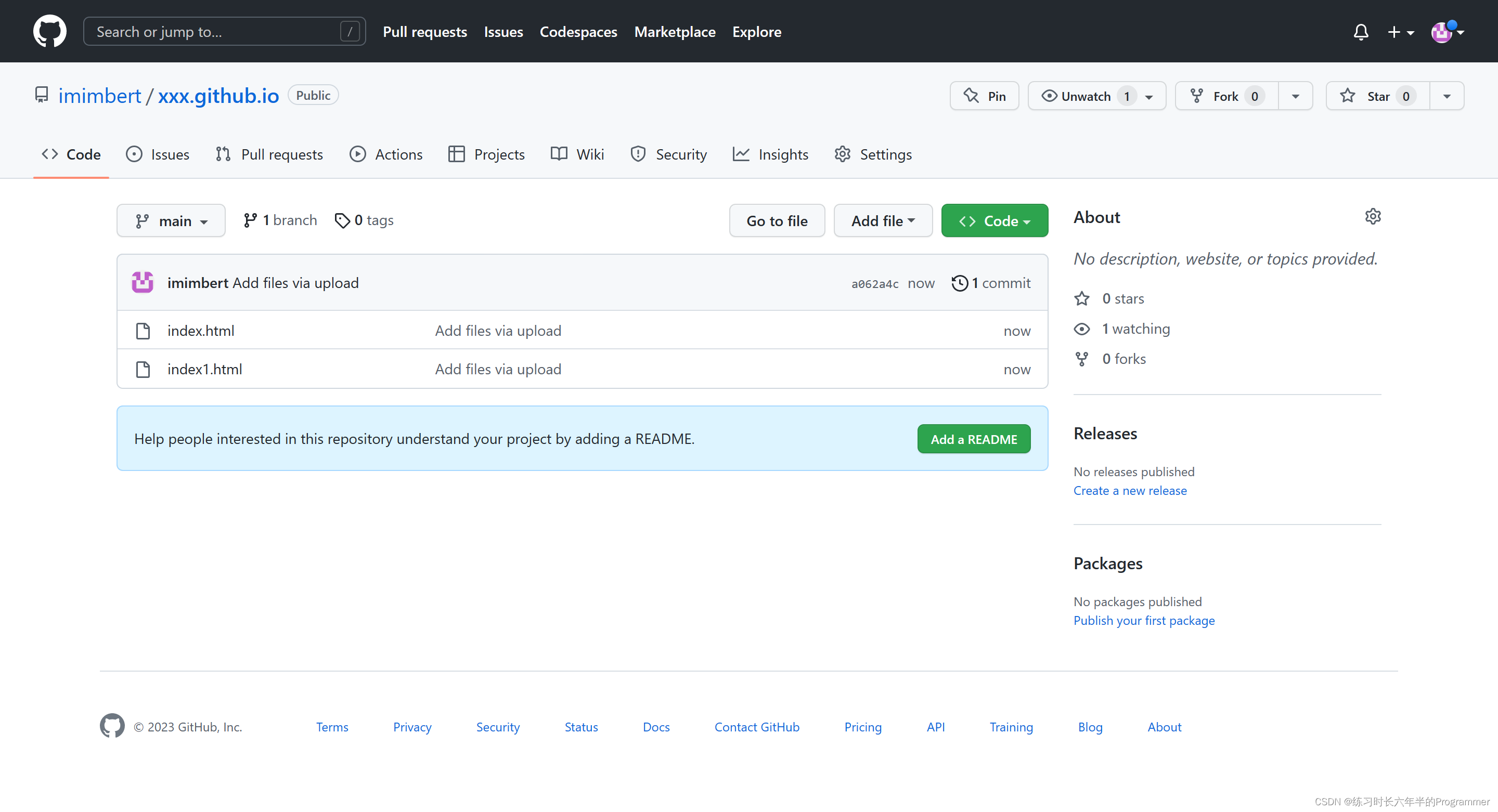
点这
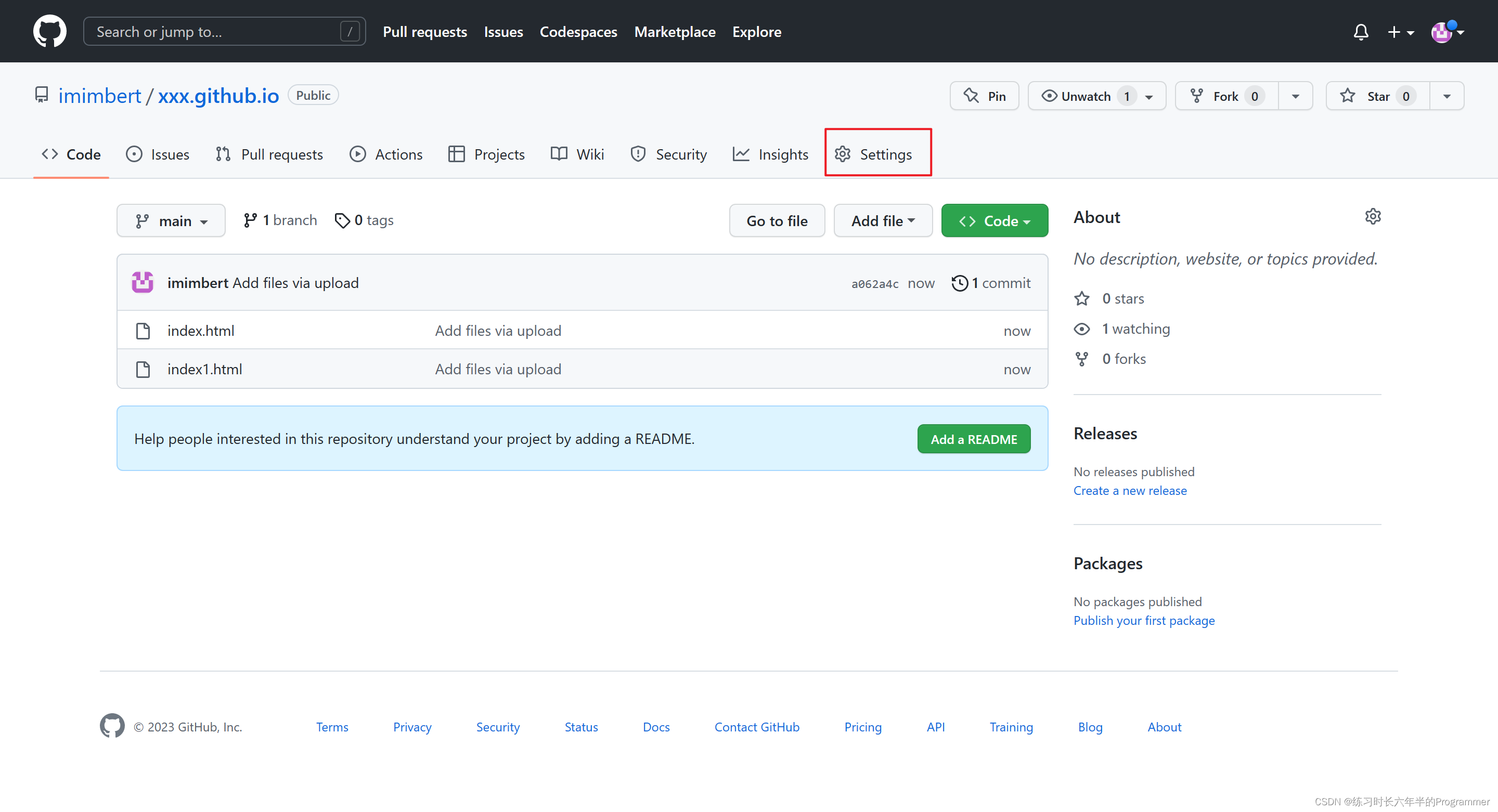
到这个页面
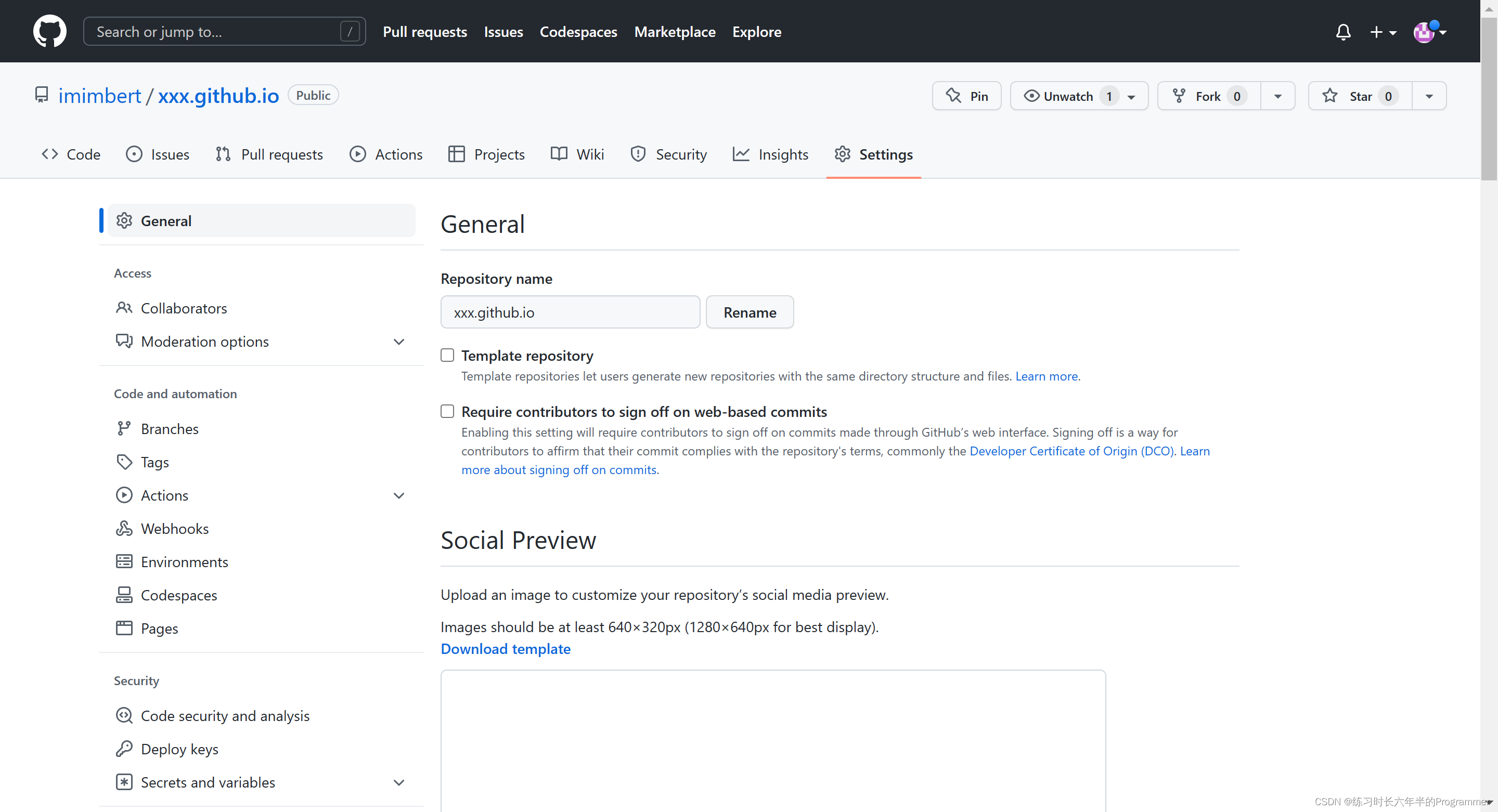
点这
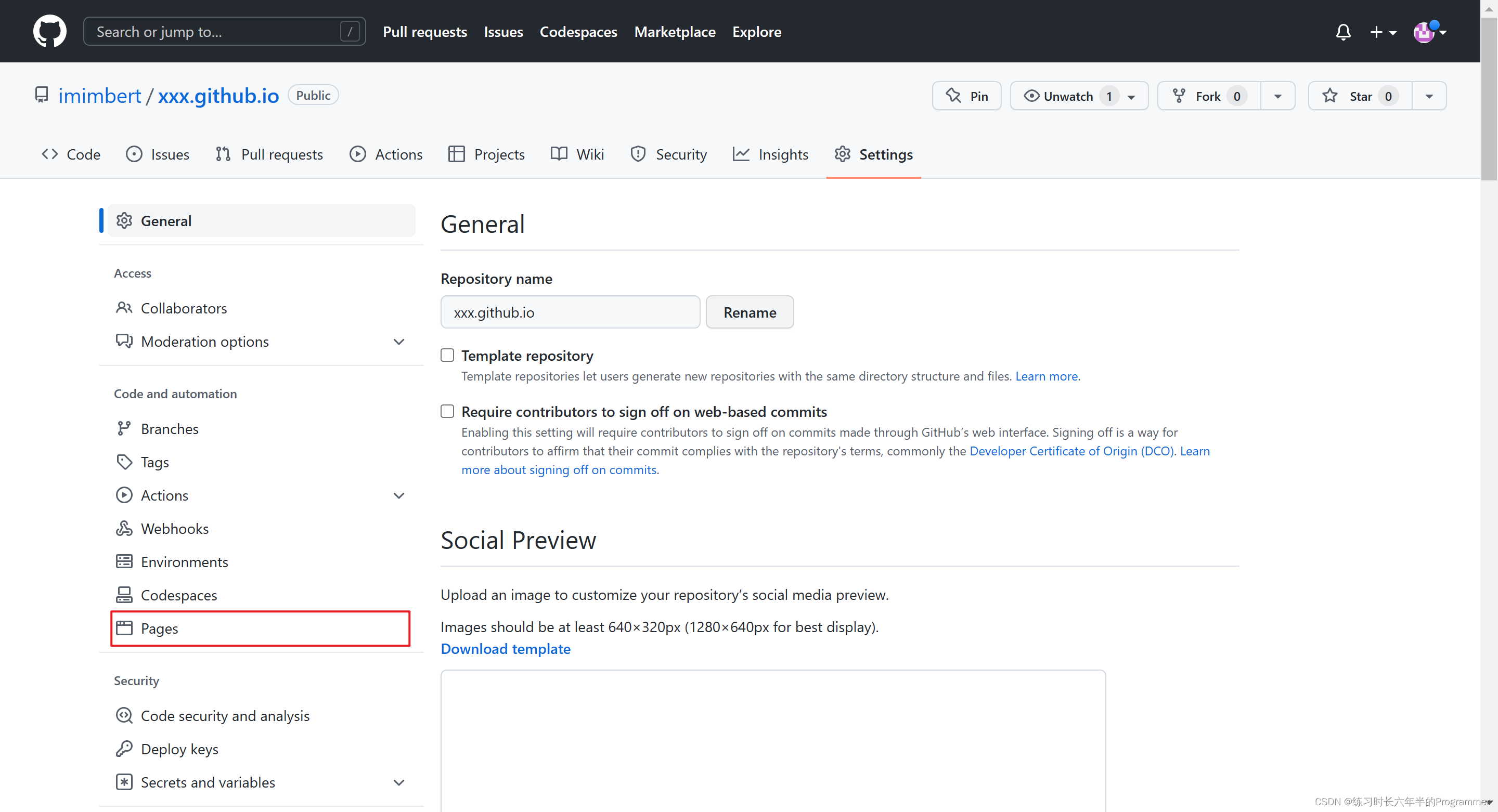
到这个页面
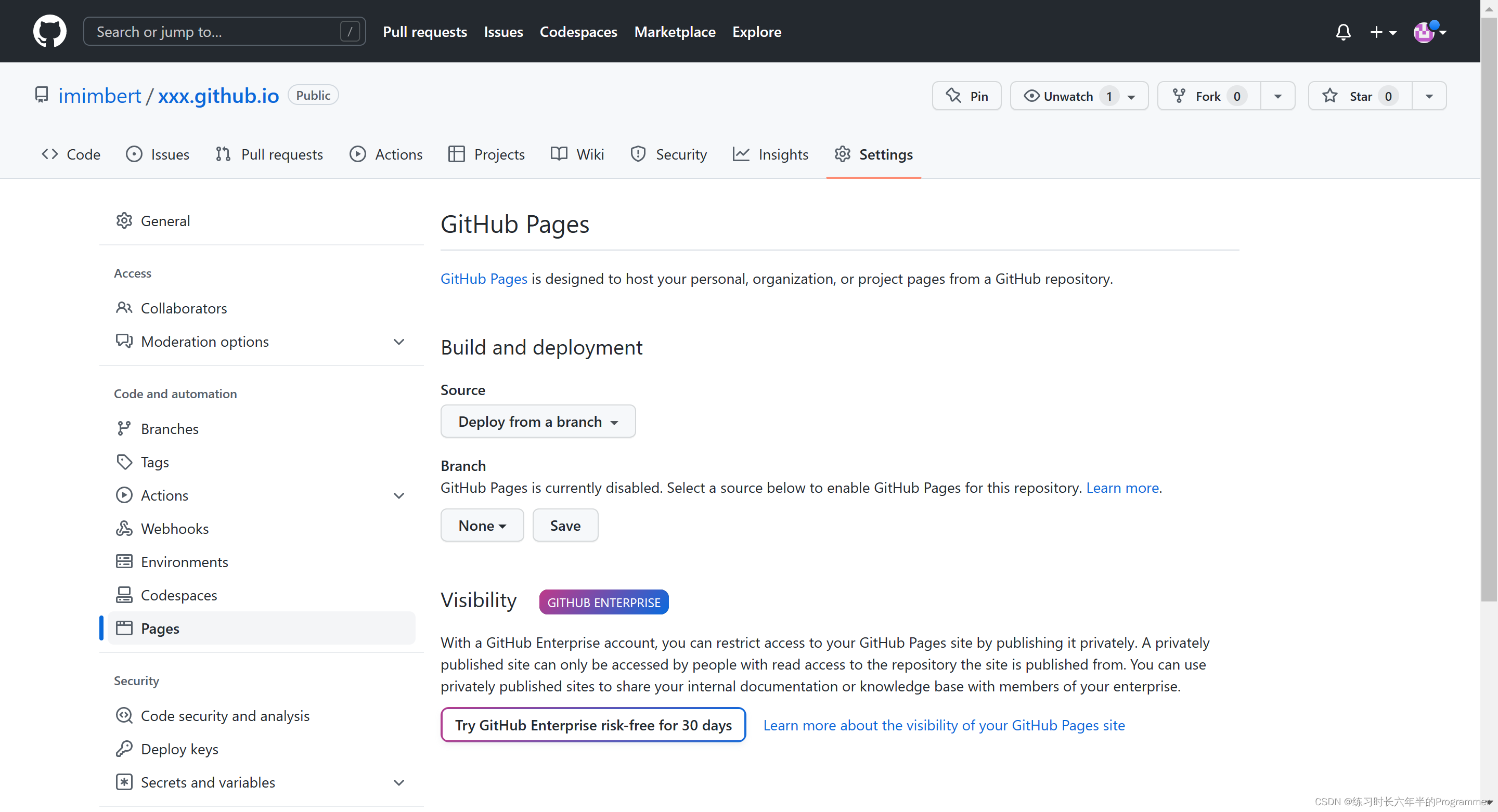
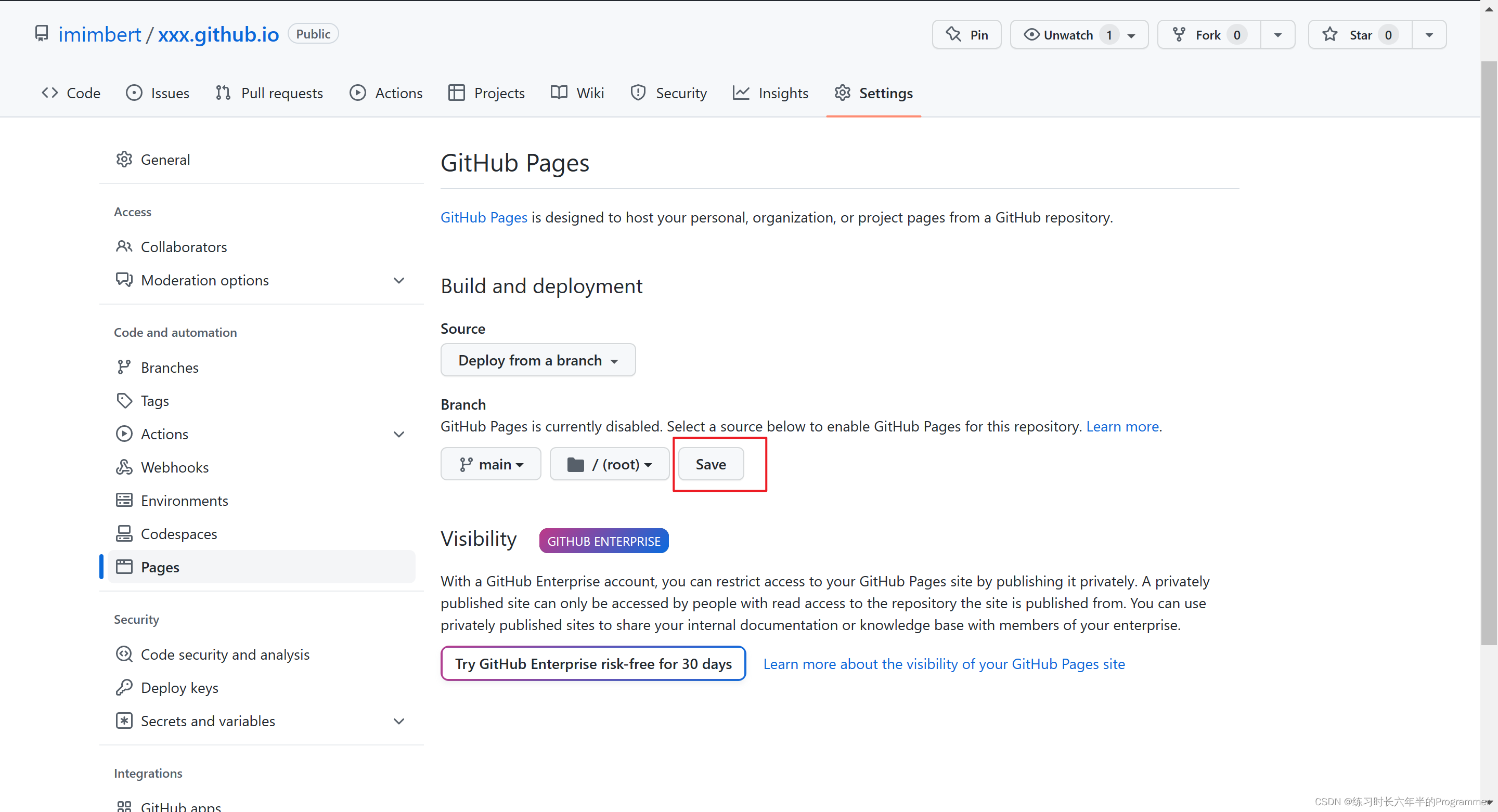
点这里,选择 main
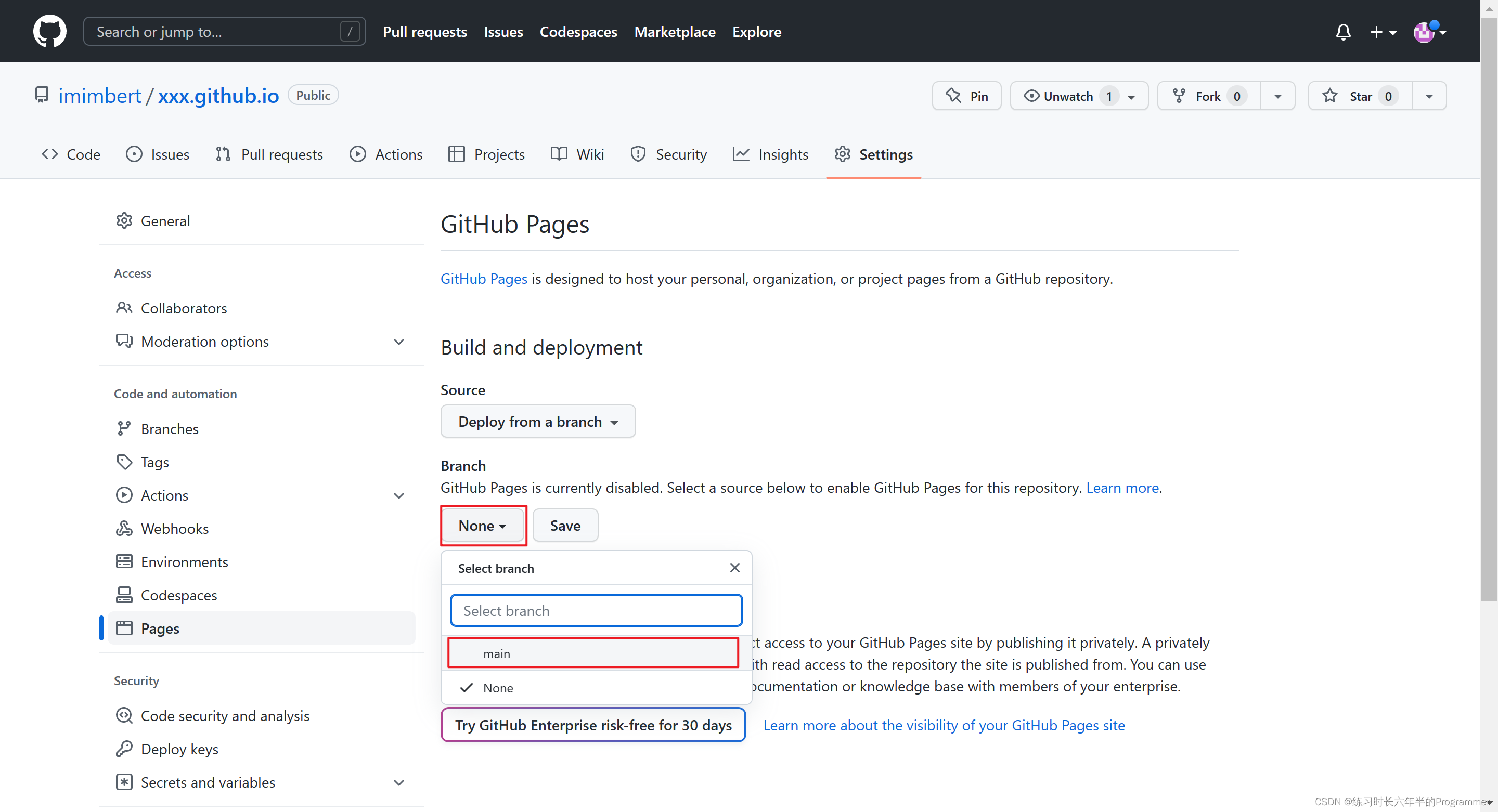
变成这样
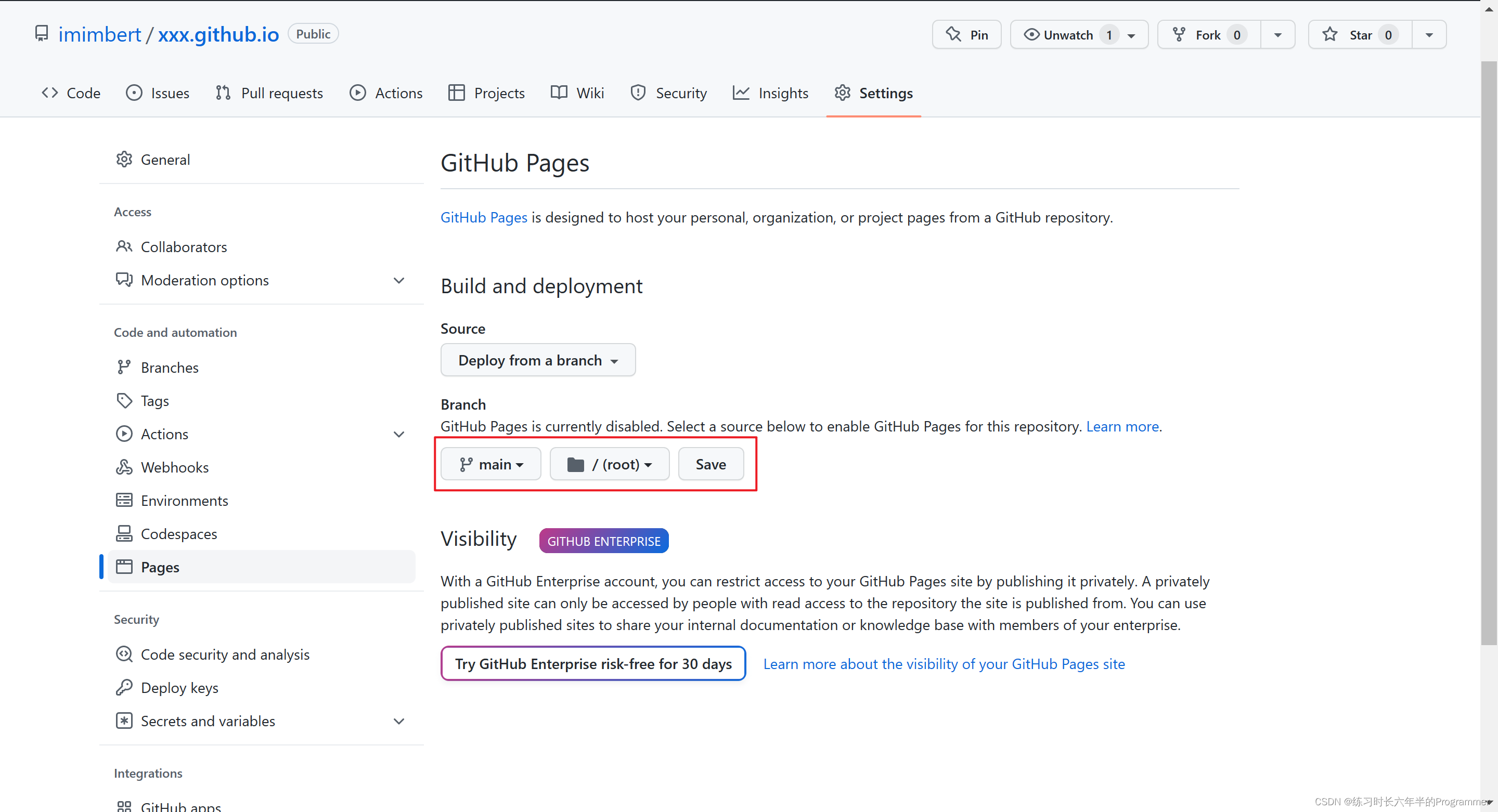
点 save
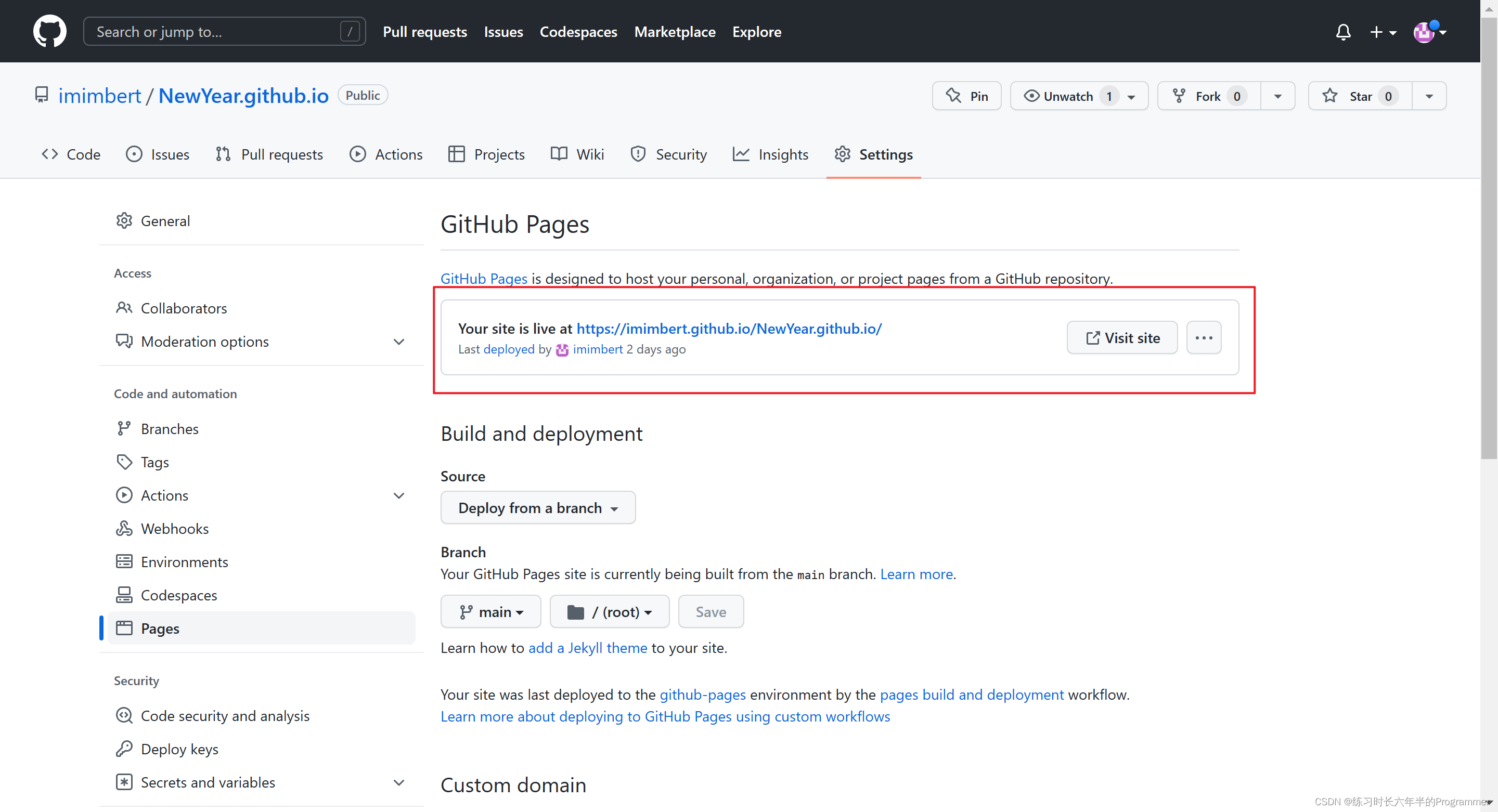
等几分钟刷新一下,出现类似这个就代表成功了
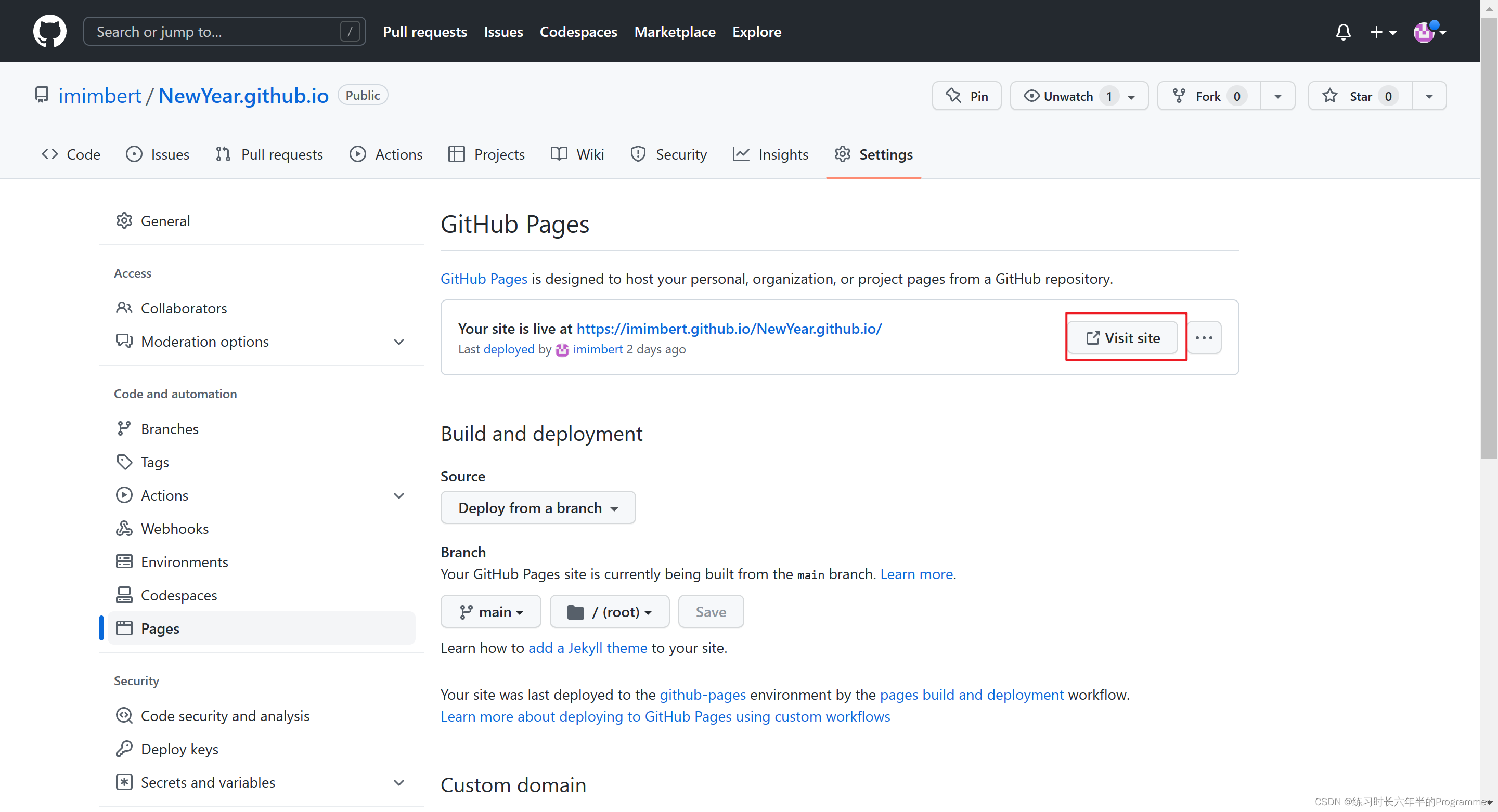
点这里就可以访问你的网站了
最后
最后也是给大家送上新年的祝福,再见~
转载自CSDN-专业IT技术社区
版权声明:本文为博主原创文章,遵循 CC 4.0 BY-SA 版权协议,转载请附上原文出处链接和本声明。
原文链接:https://blog.csdn.net/m0_64036070/article/details/128746597