

推荐md编辑器 - ByteMD
在线体验:ByteMD Playground
git 链接:GitHub - pd4d10/bytemd: ByteMD v1 repository
安装
编辑器本体
pnpm install @bytemd/react官方插件 - 代码高亮 & 支持 GFM 功能(自动链接文字、删除线、表格、任务列表等)
pnpm install @bytemd/plugin-highlight @bytemd/plugin-gfmMdEditor 组件
import gfm from '@bytemd/plugin-gfm'
import { Editor } from '@bytemd/react'
import highlight from '@bytemd/plugin-highlight'
import 'bytemd/dist/index.css'
import 'highlight.js/styles/vs.css'
import './github-markdown-light.css'
import './index.css'

interface Props {
    value?: string
    onChange?: (value: string) => void
    placeholder?: string
}

const plugins = [gfm(), highlight()]

/**
 * 编辑器
 * @param props
 * @constructor
 */
const MdEditor = (props: Props) => {
    const { value = '', onChange, placeholder } = props

    return (
        <Editor
            className="md-editor"
            value={value}
            placeholder={placeholder}
            mode="split"
            plugins={plugins}
            onChange={onChange}
        />
    )
}

export default MdEditor
MdViewer 组件
import gfm from '@bytemd/plugin-gfm'
import { Viewer } from '@bytemd/react'
import highlight from '@bytemd/plugin-highlight'
import 'bytemd/dist/index.css'
import 'highlight.js/styles/vs.css'
import '../MdEditor/github-markdown-light.css'
import './index.css'

interface Props {
    value?: string
}

const plugins = [gfm(), highlight()]

/**
 * Md 浏览器
 * @param props
 * @constructor
 */
const MdViewer = (props: Props) => {
    const { value = '' } = props

    return (
        <div className="md-viewer">
            <Viewer value={value} plugins={plugins} />
        </div>
    )
}

export default MdViewer
引入 github markdown 样式
测试
在全局基础布局组件引入编辑器组件进行效果测试
'use client'
import { ProLayout } from '@ant-design/pro-components'
import { Dropdown, Input } from 'antd'
import React, { useEffect, useState } from 'react'
import MdEditor from '@/components/MdEditor'
import MdViewer from '@/components/MdViewer'

interface props {
    children: React.ReactNode
}


export default function BasicLayout({ children }: props) {

    const [text, setText] = useState<string>('')
    ...

    return (
        <div
            id="basic-layout"
            style={{
                height: '100vh',
            }}
        >
            <ProLayout
                ...
            >
                <MdEditor value={text} onChange={setText} />
                <MdViewer value={text} />
                {children}
            </ProLayout>
        </div>
    )
}
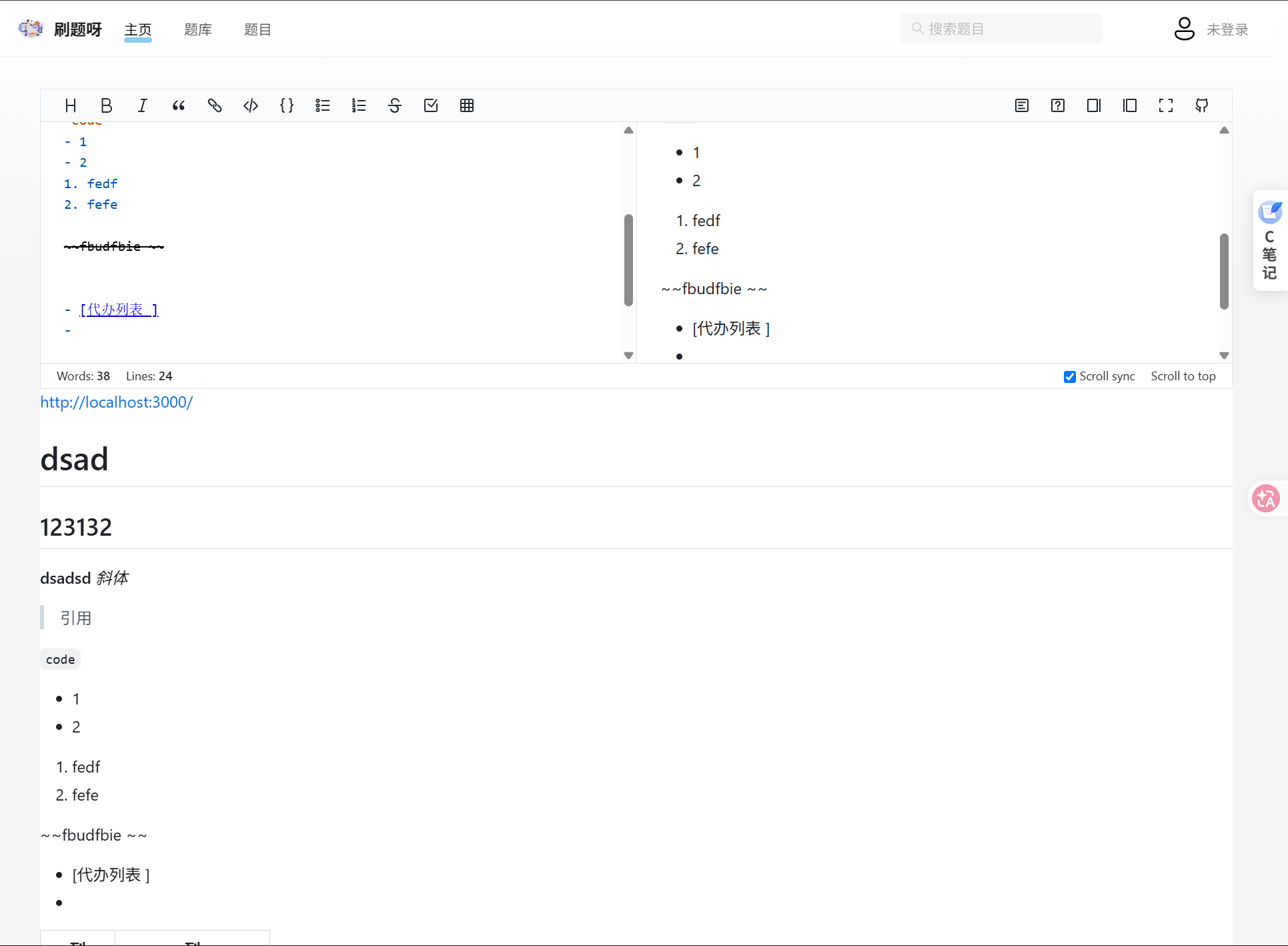
效果图
转载自 CSDN-专业IT技术社区
原文链接:https://blog.csdn.net/ioncannontic/article/details/162739683

