

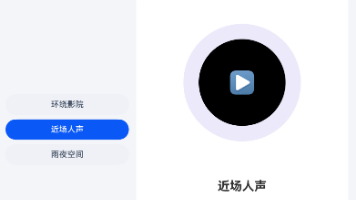
空间音频页面不能只有一个播放按钮,它还要让用户看懂当前声场、资源是否准备完成以及声音位置。
这个项目不以拼出一个静态页面为终点,而是让媒体场景、播放阶段、请求版本、进度和音量形成可以独立验证的业务链路。用明确的播放器阶段管理资源准备、播放暂停、进度、音量和释放流程。
这次实现先收住三条主线:
- 建立媒体场景,明确数据从哪里开始;
- 准备音频资源,让主要操作真正改变状态;
- 退出页面释放实例,补齐设备形态或退出路径。
先给声场定义明确阶段
先确定哪些值必须跨布局保留。答案是媒体场景、播放阶段、请求版本、进度和音量,否则就会出现快速切换声场时,旧资源的异步回调可能晚到一步,把新场景状态覆盖掉。
export type PlaybackPhase = 'idle' | 'preparing' | 'ready' | 'playing' | 'paused' | 'completed' | 'error'

export interface MediaScene {
  id: string
  title: string
  durationMs: number
  source: string
}

export interface PlayerSnapshot {
  phase: PlaybackPhase
  sceneId: string
  positionMs: number
  durationMs: number
  volume: number
  errorMessage: string
}

export class FeatureController {
  private scenes: MediaScene[] = [
    { id: 'main', title: '空间音频舞台主场景', durationMs: 252000, source: 'resource://main' },
    { id: 'ambient', title: '环境声场', durationMs: 198000, source: 'resource://ambient' }
  ]
  private state: PlayerSnapshot = { phase: 'idle', sceneId: 'main', positionMs: 0, durationMs: 252000, volume: 0.72, errorMessage: '' }
  private requestVersion: number = 0

  getState(): PlayerSnapshot {
后面的组件只接收这些值,不能再自行生成另一套选择或进度。
旧音源回调必须过期
接入准备音频资源以后,所有入口都通过控制器推进当前阶段。
这一层既修改数据,也保存回退所需的信息,撤销不需要猜测上一步是什么。
    return { phase: this.state.phase, sceneId: this.state.sceneId, positionMs: this.state.positionMs, durationMs: this.state.durationMs, volume: this.state.volume, errorMessage: this.state.errorMessage }
  }

  prepare(sceneId: string): boolean {
    const scene: MediaScene | undefined = this.scenes.find((item: MediaScene) => item.id === sceneId)
    if (!scene) {
      this.fail('找不到媒体资源')
      return false
    }
    this.requestVersion++
    this.state.phase = 'preparing'
    this.state.sceneId = scene.id
    this.state.durationMs = scene.durationMs
    this.state.positionMs = 0
    this.state.errorMessage = ''
    this.state.phase = 'ready'
    return true
  }

  togglePlayback(): PlaybackPhase {
    if (this.state.phase === 'playing') {
      this.state.phase = 'paused'
    } else if (this.state.phase === 'ready' || this.state.phase === 'paused') {
      this.state.phase = 'playing'
    }
    return this.state.phase
  }
每次写入都有前置条件,因此快速切换声场时,旧资源的异步回调可能晚到一步,把新场景状态覆盖掉会得到明确反馈。
舞台位置怎样映射到听感
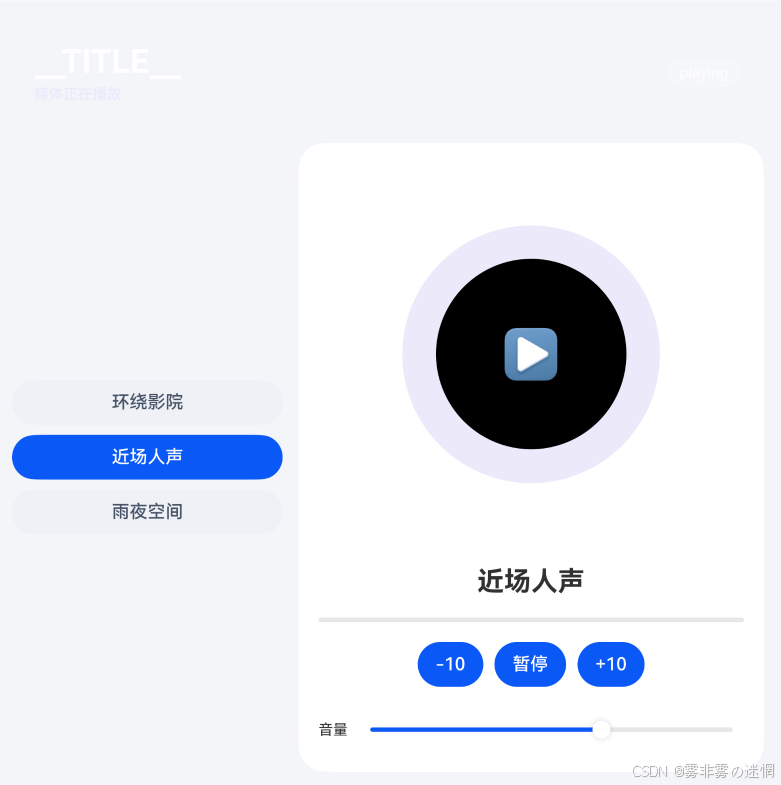
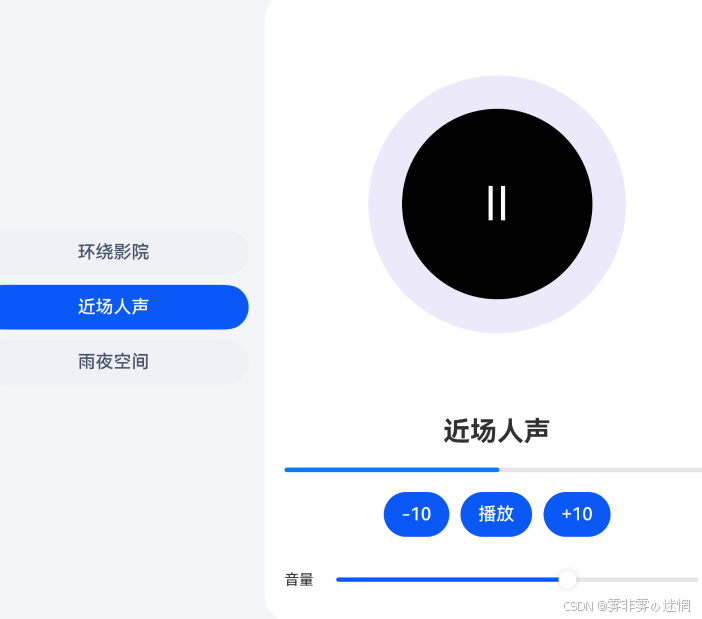
功能状态确定后再落视觉层:左侧选择声场,中央呈现空间舞台,底部集中放置时间轴和音量。
界面代码从主区域开始搭建,随后插入工具与反馈,不使用连续同质卡片。
import { FeatureController } from '../features/FeatureController'

interface FeatureItem {
  id: number
  title: string
  detail: string
}

@Entry
@Component
struct Index {
  private featureController: FeatureController = new FeatureController()
  @State selectedId: number = 1
  @State message: string = '切换声场、音量与播放器阶段'
  @State wide: boolean = false
  @State playing: boolean = false
  @State volume: number = 64
  @State phase: string = 'ready'
  @State progress: number = 28
  private items: FeatureItem[] = [
    { id: 1, title: '环绕影院', detail: '可交互能力 1' },
    { id: 2, title: '近场人声', detail: '可交互能力 2' },
    { id: 3, title: '雨夜空间', detail: '可交互能力 3' }
  ]

  private selected(): FeatureItem {
    return this.items.find((item: FeatureItem) =>
      item.id === this.selectedId
    ) ?? this.items[0]
  }

  private chooseScene(id: number): void {
    this.selectedId = id
    this.playing = false
    this.phase = 'ready'
    this.progress = 0
    this.message = `已准备:${this.selected().title}`
  }

  private toggle(): void {
    if (this.phase === 'loading') return
    this.playing = !this.playing
    this.phase = this.playing ? 'playing' : 'paused'
    this.message = this.playing ? '媒体正在播放' : '播放已暂停'
  }

  private seek(delta: number): void {
    this.progress = Math.max(0, Math.min(100, this.progress + delta))
  }

  build() {
    Column({ space: 16 }) {
      Row() { Column({ space: 4 }) { Text('__TITLE__').fontSize(29).fontWeight(FontWeight.Bold).fontColor(Color.White); Text(this.message).fontSize(13).fontColor('#E9E8FF') }.alignItems(HorizontalAlign.Start); Blank(); Text(this.phase).fontSize(13).fontColor(Color.White).padding({ left: 12, right: 12, top: 6, bottom: 6 }).borderRadius(14).backgroundColor('#30FFFFFF') }.width('100%').padding(20).borderRadius(24).backgroundColor('__ACCENT__')
      Row({ space: 14 }) {
        Column({ space: 9 }) { ForEach(this.items, (item: FeatureItem) => { Button(item.title).width('100%').fontColor(this.selectedId === item.id ? Color.White : '#475467').backgroundColor(this.selectedId === item.id ? '__ACCENT__' : '#EEF1F6').onClick(() => this.chooseScene(item.id)) }, (item: FeatureItem) => item.id.toString()) }.width(this.wide ? '30%' : '36%')
        Column({ space: 18 }) {
          Stack() { Circle({ width: 230, height: 230 }).fill('#ECEAFA'); Circle({ width: 170, height: 170 }).fill('__ACCENT__'); Text(this.playing ? '▶' : 'Ⅱ').fontSize(42).fontColor(Color.White) }.layoutWeight(1)
          Text(this.selected().title).fontSize(24).fontWeight(FontWeight.Bold)
          Progress({ value: this.progress, total: 100, type: ProgressType.Linear }).width('100%').color('__ACCENT__')
          Row({ space: 10 }) { Button('-10').onClick(() => this.seek(-10)); Button(this.playing ? '暂停' : '播放').backgroundColor('__ACCENT__').onClick(() => this.toggle()); Button('+10').onClick(() => this.seek(10)) }
          Row({ space: 10 }) { Text('音量').fontSize(13); Slider({ value: this.volume, min: 0, max: 100 }).layoutWeight(1).selectedColor('__ACCENT__').onChange((value: number) => { this.volume = value }) }.width('100%')
        }.layoutWeight(1).height('100%').padding(18).borderRadius(24).backgroundColor(Color.White)
      }.layoutWeight(1).width('100%')
    }.width('100%').height('100%').padding(18).backgroundColor('#F4F5F9').onAreaChange((oldArea: Area, newArea: Area) => { this.wide = Number(newArea.width) >= 760 })
  }
}
Index.ets在这里读取控制器结果并组织左侧选择声场,中央呈现空间舞台,底部集中放置时间轴和音量。计算仍留在功能层,因此更换设备形态只需调整区域组合。
退出页面时释放播放器
收尾路径与成功路径同样明确:资源释放、版本失效和状态保留各自处理。
  seek(targetMs: number): number {
    const next: number = Math.max(0, Math.min(this.state.durationMs, targetMs))
    this.state.positionMs = next
    if (next >= this.state.durationMs) {
      this.state.phase = 'completed'
    }
    return next
  }

  setVolume(value: number): number {
    const volume: number = Math.max(0, Math.min(1, value))
    this.state.volume = volume
    return volume
  }

  release(): void {
    this.requestVersion++
    this.state.phase = 'idle'
    this.state.positionMs = 0
  }

  private fail(message: string): void {
    this.state.phase = 'error'
    this.state.errorMessage = message
  }
}
收尾代码与主流程放在同一个控制器中,资源归属因而十分明确。
SpatialStage的媒体分层
下面是SpatialStage当前使用的目录。pages负责左侧选择声场,中央呈现空间舞台,底部集中放置时间轴和音量,features保存本文展示的业务链路。
SpatialStage/
├─ entry/src/main/ets/
│  ├─ pages/Index.ets                 # 首屏与响应式布局
│  ├─ features/FeatureController.ets # 模型、动作和边界
│  ├─ entryability/EntryAbility.ets   # 页面入口与生命周期
│  └─ adapters/                       # 真机能力或数据源接口
├─ entry/src/main/resources/          # 颜色、文字和媒体资源
└─ build-profile.json5                # 工程构建配置
Index.ets只组合界面,FeatureController.ets处理媒体场景、播放阶段、请求版本、进度和音量。如果后面接入真实设备或网络服务,只需增加适配器并把结果转换成控制器认识的状态。
收尾时再回看工程,左侧选择声场,中央呈现空间舞台,底部集中放置时间轴和音量,而状态始终由功能层统一提供。
转载自 CSDN-专业IT技术社区
原文链接:https://blog.csdn.net/Dovis5884/article/details/166790329

