


大模型辅助前端重构时如何有效规避 使用AI自动化生成前端单元测试 的逻辑幻觉缺陷
前言
我是大山哥。
上周帮客户做前端重构时,测试工程师小王激动地说:"大山哥,我用 AI 生成了 500 个单元测试!"
结果呢?有 300 个测试是重复的,100 个测试覆盖的是不存在的场景,还有 50 个测试逻辑完全错误。
兄弟,AI 生成测试就像让小学生改作文——数量多,但质量堪忧!
今天,我就来分享如何在使用 AI 自动化生成前端单元测试时,有效规避逻辑幻觉缺陷。
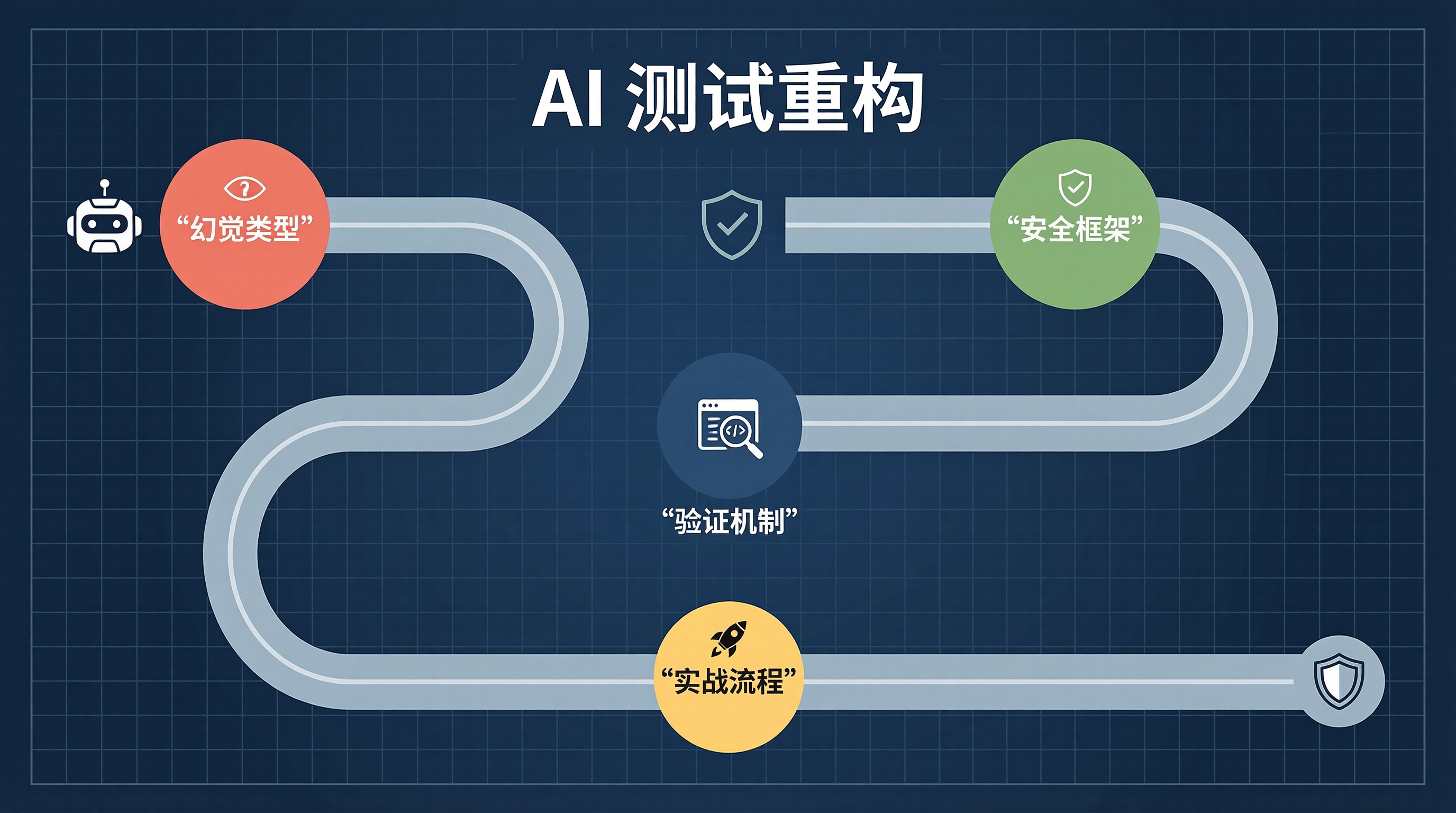
一、AI 生成测试的常见幻觉类型
1.1 幻觉类型对比
| 幻觉类型 | 表现形式 | 风险等级 |
|---|---|---|
| 场景虚构 | 测试不存在的功能或边界 | 高 |
| 断言错误 | 断言条件与实际需求不符 | 高 |
| 覆盖率幻觉 | 看似覆盖全面,实则遗漏关键路径 | 中 |
| 重复测试 | 多个测试用例测试同一场景 | 低 |
| mock 错误 | mock 对象与真实实现不符 | 高 |
1.2 真实案例:AI 生成的有缺陷测试
// ❌ AI 生成的有问题测试
import { render, screen } from '@testing-library/react';
import UserProfile from './UserProfile';

describe('UserProfile', () => {
  it('should display user name', () => {
    // ❌ 幻觉:测试了不存在的 props
    render(<UserProfile userName="大山哥" />);

    // ❌ 断言错误:组件实际用的是 data-testid="name"
    expect(screen.getByText('大山哥')).toBeInTheDocument();
  });

  it('should show loading state', async () => {
    // ❌ mock 错误:API 路径错误
    jest.spyOn(global, 'fetch').mockResolvedValueOnce({
      json: () => Promise.resolve({ name: '大山哥' })
    });

    render(<UserProfile userId="1" />);

    // ❌ 场景虚构:组件根本没有 loading 状态
    expect(screen.getByText('加载中...')).toBeInTheDocument();
  });
});
二、测试生成的安全框架
2.1 测试契约定义
// 测试契约 - 明确告知 AI 组件的接口和行为
const testContract = {
  component: 'UserProfile',
  props: {
    userId: {
      type: 'string',
      required: true,
      description: '用户ID'
    }
  },
  dataAttributes: {
    name: 'data-testid="user-name"',
    avatar: 'data-testid="user-avatar"',
    email: 'data-testid="user-email"'
  },
  states: {
    loading: {
      exists: true,
      indicator: 'data-testid="loading-spinner"'
    },
    error: {
      exists: true,
      indicator: 'data-testid="error-message"'
    },
    loaded: {
      exists: true,
      indicators: ['user-name', 'user-avatar']
    }
  },
  apiCalls: {
    getUser: {
      endpoint: '/api/users/{userId}',
      method: 'GET'
    }
  }
};
2.2 AI 提示词模板
const testPromptTemplate = `
你是一位资深前端测试工程师,请按照以下规范生成单元测试:

## 三、测试目标
组件:${testContract.component}

## 四、已知信息
### 4.1 Props 定义
${JSON.stringify(testContract.props, null, 2)}

### 4.2 Data Attributes
${JSON.stringify(testContract.dataAttributes, null, 2)}

### 4.3 状态定义
${JSON.stringify(testContract.states, null, 2)}

### 4.4 API 调用
${JSON.stringify(testContract.apiCalls, null, 2)}

## 五、测试要求
1. 必须使用 data-testid 进行元素定位
2. 必须覆盖所有状态:loading、error、loaded
3. 必须 mock 所有外部 API 调用
4. 每个测试用例必须有明确的测试目的
5. 禁止测试不存在的功能

## 六、输出格式
```typescript

import { render, screen, waitFor } from '@testing-library/react';
import ${testContract.component} from './${testContract.component}';

describe('${testContract.component}', () => {
  // 测试用例
});
`;
---

## 七、测试验证机制

### 7.1 测试质量评估工具

```typescript
interface TestIssue {
  type: 'missing_coverage' | 'redundant' | 'assertion_error' | 'mock_error' | 'unknown_element';
  message: string;
  suggestion: string;
}

class TestValidator {
  private contract: typeof testContract;

  constructor(contract: typeof testContract) {
    this.contract = contract;
  }

  validate(testCode: string): TestIssue[] {
    const issues: TestIssue[] = [];

    // 检测未覆盖的状态
    const coveredStates = this.extractCoveredStates(testCode);
    Object.keys(this.contract.states).forEach(state => {
      if (!coveredStates.includes(state)) {
        issues.push({
          type: 'missing_coverage',
          message: `缺少状态 "${state}" 的测试覆盖`,
          suggestion: `请添加 "${state}" 状态的测试用例`
        });
      }
    });

    // 检测未知元素引用
    const unknownElements = this.detectUnknownElements(testCode);
    unknownElements.forEach(element => {
      issues.push({
        type: 'unknown_element',
        message: `引用了未定义的元素: ${element}`,
        suggestion: '请检查 data-testid 是否正确'
      });
    });

    // 检测重复测试
    const duplicates = this.detectDuplicateTests(testCode);
    duplicates.forEach(duplicate => {
      issues.push({
        type: 'redundant',
        message: `检测到重复测试: ${duplicate}`,
        suggestion: '请合并或删除重复的测试用例'
      });
    });

    return issues;
  }

  private extractCoveredStates(testCode: string): string[] {
    const states: string[] = [];
    if (testCode.includes('loading')) states.push('loading');
    if (testCode.includes('error')) states.push('error');
    if (testCode.includes('loaded') || testCode.includes('render')) states.push('loaded');
    return states;
  }

  private detectUnknownElements(testCode: string): string[] {
    const definedElements = new Set(Object.values(this.contract.dataAttributes));
    const matches = testCode.match(/data-testid=["']([^"']+)["']/g) || [];
    const unknown: string[] = [];

    matches.forEach(match => {
      const element = match.match(/data-testid=["']([^"']+)["']/)[1];
      if (!definedElements.has(`data-testid="${element}"`)) {
        unknown.push(element);
      }
    });

    return unknown;
  }

  private detectDuplicateTests(testCode: string): string[] {
    const testPattern = /it\(['"]([^'"]+)['"]/g;
    const testNames: string[] = [];
    const duplicates: string[] = [];
    let match;

    while ((match = testPattern.exec(testCode)) !== null) {
      const name = match[1];
      if (testNames.includes(name)) {
        duplicates.push(name);
      }
      testNames.push(name);
    }

    return duplicates;
  }
}
八、实战:安全的测试生成流程
8.1 测试生成工作流
flowchart TD
    A[定义测试契约] --> B[生成提示词]
    B --> C[AI 生成测试]
    C --> D[测试验证器检查]
    D --> E{验证通过?}
    E -->|否| F[反馈问题给 AI]
    F --> C
    E -->|是| G[运行测试]
    G --> H{测试通过?}
    H -->|否| I[手动修复测试]
    I --> G
    H -->|是| J[检查覆盖率]
    J --> K{覆盖率达标?}
    K -->|否| L[补充测试用例]
    L --> G
    K -->|是| M[测试完成]
8.2 生成的高质量测试示例
// ✅ AI 生成的高质量测试
import { render, screen, waitFor } from '@testing-library/react';
import UserProfile from './UserProfile';

// Mock API 调用
jest.mock('../api/users', () => ({
  getUser: jest.fn()
}));

import { getUser } from '../api/users';

describe('UserProfile', () => {
  beforeEach(() => {
    jest.clearAllMocks();
  });

  it('should display loading state initially', async () => {
    (getUser as jest.Mock).mockResolvedValueOnce(new Promise(() => {}));

    render(<UserProfile userId="1" />);

    expect(screen.getByTestId('loading-spinner')).toBeInTheDocument();
  });

  it('should display user data when loaded successfully', async () => {
    const mockUser = {
      id: '1',
      name: '大山哥',
      email: '[邮箱地址]',
      avatar: 'avatar-url'
    };
    (getUser as jest.Mock).mockResolvedValueOnce(mockUser);

    render(<UserProfile userId="1" />);

    await waitFor(() => {
      expect(screen.getByTestId('user-name')).toHaveTextContent('大山哥');
    });
    expect(screen.getByTestId('user-email')).toHaveTextContent('[邮箱地址]');
    expect(screen.getByTestId('user-avatar')).toHaveAttribute('src', 'avatar-url');
  });

  it('should display error state when API fails', async () => {
    (getUser as jest.Mock).mockRejectedValueOnce(new Error('Network error'));

    render(<UserProfile userId="1" />);

    await waitFor(() => {
      expect(screen.getByTestId('error-message')).toBeInTheDocument();
    });
  });

  it('should call API with correct userId', async () => {
    (getUser as jest.Mock).mockResolvedValueOnce({ id: '2', name: '测试用户' });

    render(<UserProfile userId="2" />);

    await waitFor(() => {
      expect(getUser).toHaveBeenCalledWith('2');
    });
  });
});
九、测试覆盖率保障
9.1 覆盖率配置
{
  "coverageThreshold": {
    "global": {
      "branches": 80,
      "functions": 80,
      "lines": 80,
      "statements": 80
    },
    "src/components/UserProfile.tsx": {
      "branches": 90,
      "functions": 90,
      "lines": 90
    }
  },
  "collectCoverageFrom": [
    "src/**/*.{ts,tsx}",
    "!src/**/*.test.{ts,tsx}",
    "!src/**/*.stories.{ts,tsx}"
  ]
}
9.2 覆盖率检查脚本
const fs = require('fs');
const path = require('path');

function checkCoverage(coveragePath: string, threshold: number): boolean {
  const coverage = JSON.parse(fs.readFileSync(coveragePath, 'utf-8'));
  const globalCoverage = coverage.total;

  const metrics = ['branches', 'functions', 'lines', 'statements'];
  const passed = metrics.every(metric => {
    const covered = globalCoverage[metric].covered;
    const total = globalCoverage[metric].total;
    const percentage = (covered / total) * 100;
    return percentage >= threshold;
  });

  if (!passed) {
    console.error('❌ 覆盖率未达标');
    metrics.forEach(metric => {
      const covered = globalCoverage[metric].covered;
      const total = globalCoverage[metric].total;
      const percentage = (covered / total) * 100;
      console.log(`${metric}: ${percentage.toFixed(2)}% (${covered}/${total})`);
    });
  }

  return passed;
}
十、避坑指南
- 💡 定义契约:在生成测试前,明确组件的接口和行为
- ⚠️ 验证输出:使用验证器检查 AI 生成的测试
- ❌ 不盲目运行:测试通过不代表质量合格,还要检查覆盖率
- ⚡ 逐步生成:复杂组件分模块生成测试
- 📝 审查断言:重点检查断言条件是否正确
十一、总结
AI 可以大幅提高测试生成效率,但必须在严格的验证框架下使用。建立测试契约、使用验证工具、检查覆盖率,这三步缺一不可。
记住:测试的目的是发现 bug,而不是为了通过测试。
转载自 CSDN-专业IT技术社区
原文链接:https://blog.csdn.net/cannonmonster01/article/details/161688633

